When I am doing maintenance work for my ASP .NET web application, I will always take down the web application temporarily. This is because the application domain will always restart when I deploy a new version of the application. Hence, in order to prevent online users to make request when the website is still under deployment, there is a need to take the website down and then show the online users a friendly message that my website is currently unavailable.
Firstly, a file with the name “App_offline.htm” needs to be created. This is the only web page that will be shown to the online visitors when the website is down. Thus, we will put our friendly messages to notify the visitors that the website is currently under maintenance in the web page.
Secondly, we will put this file in the root of the website virtual directory.
Finally, visit the website now. You will realize that no matter which web page you visit in the website, you will always be redirected to App_offline.htm, the page telling you that the website is under maintenance.
Website is under maintenance. Sorry about that!
Things to Take Note of
Current Request Still Be Processed
According to an interesting experiment shared on Stack Overflow, only new request will be redirected to the App_Offline.htm. Existing requests when the App_Offline.htm is uploaded will still be processed.
It’s fortunate to work in a company which encourages employees to attend courses, workshops, and training to expand their skill set. Last month, when I told my boss about AWSome Day, a training event hold by AWS expert technical instructors, my boss immediately gave me one day leave (without deducting my annual leave) to attend the event. In addition, I’m glad to have awesome teammates who helped me to handle my work on that day so that I could concentrate during the event. Thus, I would like to write a series of blog posts to share about what I’ve learnt in AWSome Day.
Amazon AWSome Day
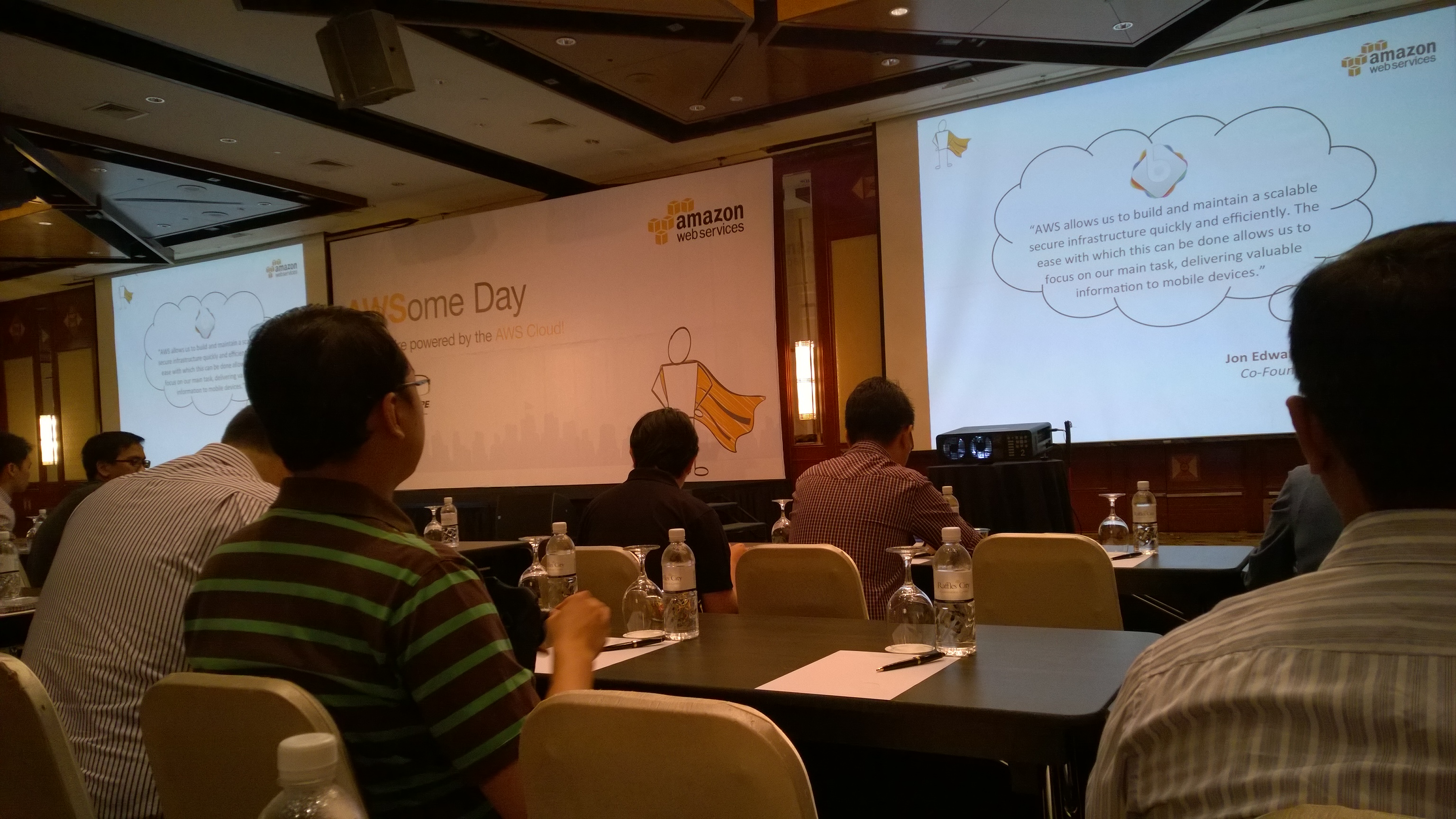
This is the second time the AWSome Day was organized in Singapore. Based on last year AWS Summit attendees, a lot of them were looking for more professional training from AWS, and thus AWSome Day once again came to Singapore. This year, the event is at Raffles City Convention Centre, which is just a 5-minute walk from my office. Oh my tian, that is so convenient!
AWSome Day, Awesome Place – Raffles City Convention Centre
The registration started at 8am. After that, Richard Harshman, the Head of AWS ASEAN, gave an opening keynote. He shared with us how AWS had removed barrier of entry to start a business online and to increase innovation. My friend who worked in MNC once told me that he was given access to powerful servers to do crazy stuff. I am not as lucky as him. I am working in a startup which does not have sufficient financial capability for that. Hence, I agreed with Richard that AWS (and other cloud computing services as well) does reduce the cost of innovation and experimentation.
Richard also shared with us a story how with the help of AWS, some startup in Malaysia managed to get a few million of visits monthly without an in-house system admin. Yup, our company also does not have a sysadmin. Normally, the work of sysadmin is done by the developers. Hence, we are always looking for a way to reduce the time used on sysadmin tasks so that developers have more time to focus on improving the applications to serve our customers better. So, cloud computing infrastructure with board and deep services to support online workload helps high volume and low margin businesses like ours.
Currently, our company is using both AWS and Microsoft Azure. So, when Richard shared a graph how both AWS and Microsoft are now leaders in cloud computing service, I was glad that we made a right choice to use services from both of them.
After the opening keynote, we had a short coffee break and then we began the 6-hour journey of AWS training which was done by Denny Daniel, Technical Trainer at AWS. Since the training covers many interesting topics, I will not blog all of them here because most of the readers will just tl;dr. I will only write what I learnt and I found useful in my career. So, if you are interested in the event, why not join the future training offered by AWS Singapore? =)
Episode 01: Who am I? I am, I am… I am Identity and Access Management (IAM)!
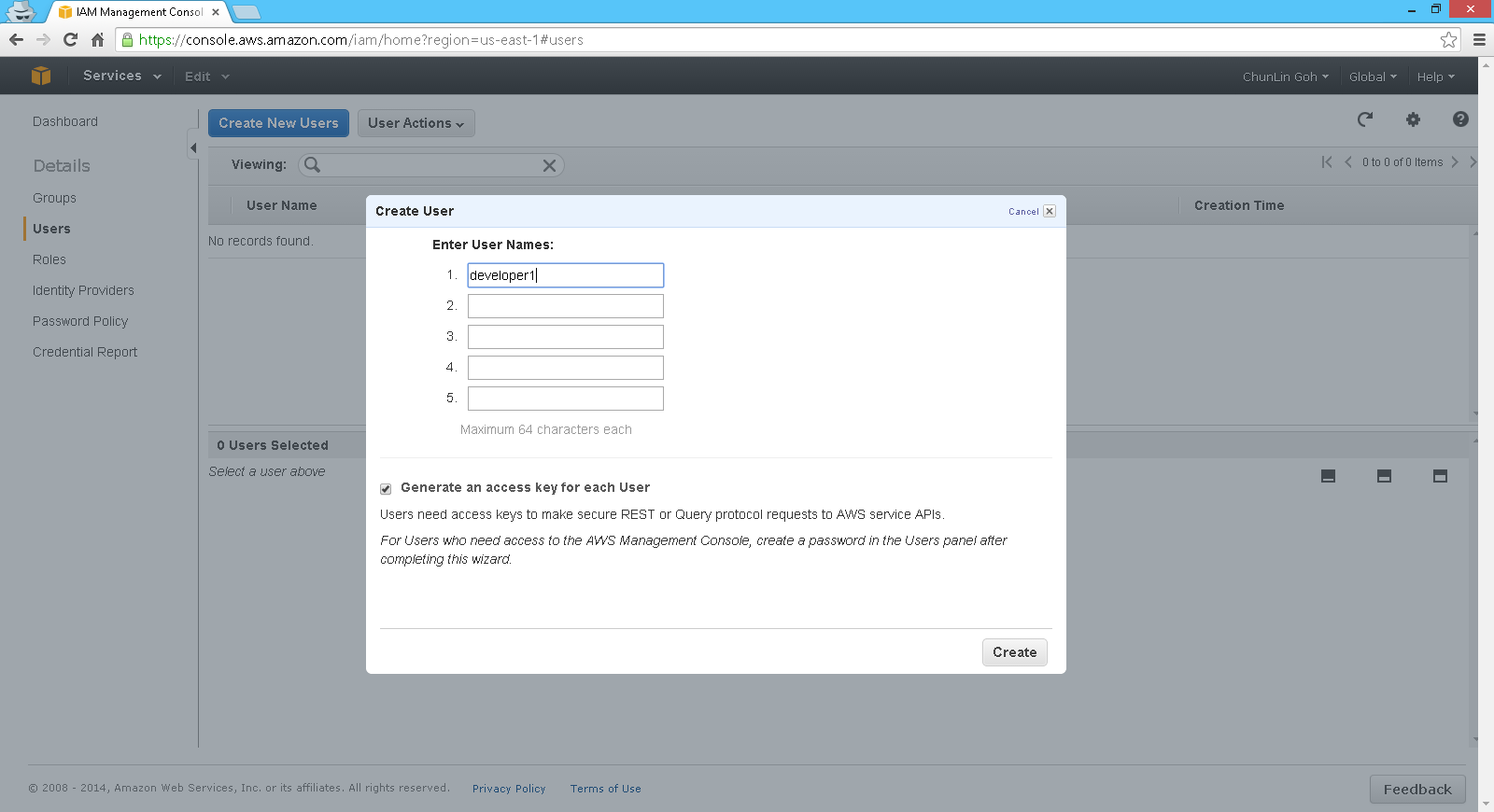
One of the main concerns about hosting our applications on clouds is security. One of the security tools provided by AWS is called Identity and Access Management, or IAM. It enables the system admin to manage users and their access rights in AWS. Hence, in AWS, each user accessing AWS will have their own security credentials and individual permissions to each AWS service and resource.
IAM is secured by default. It means that, by default, IAM users do not have permission to create or modify Amazon EC2 resources. Hence, an IAM policy, which is just a JSON document specifying the rules, is needed.
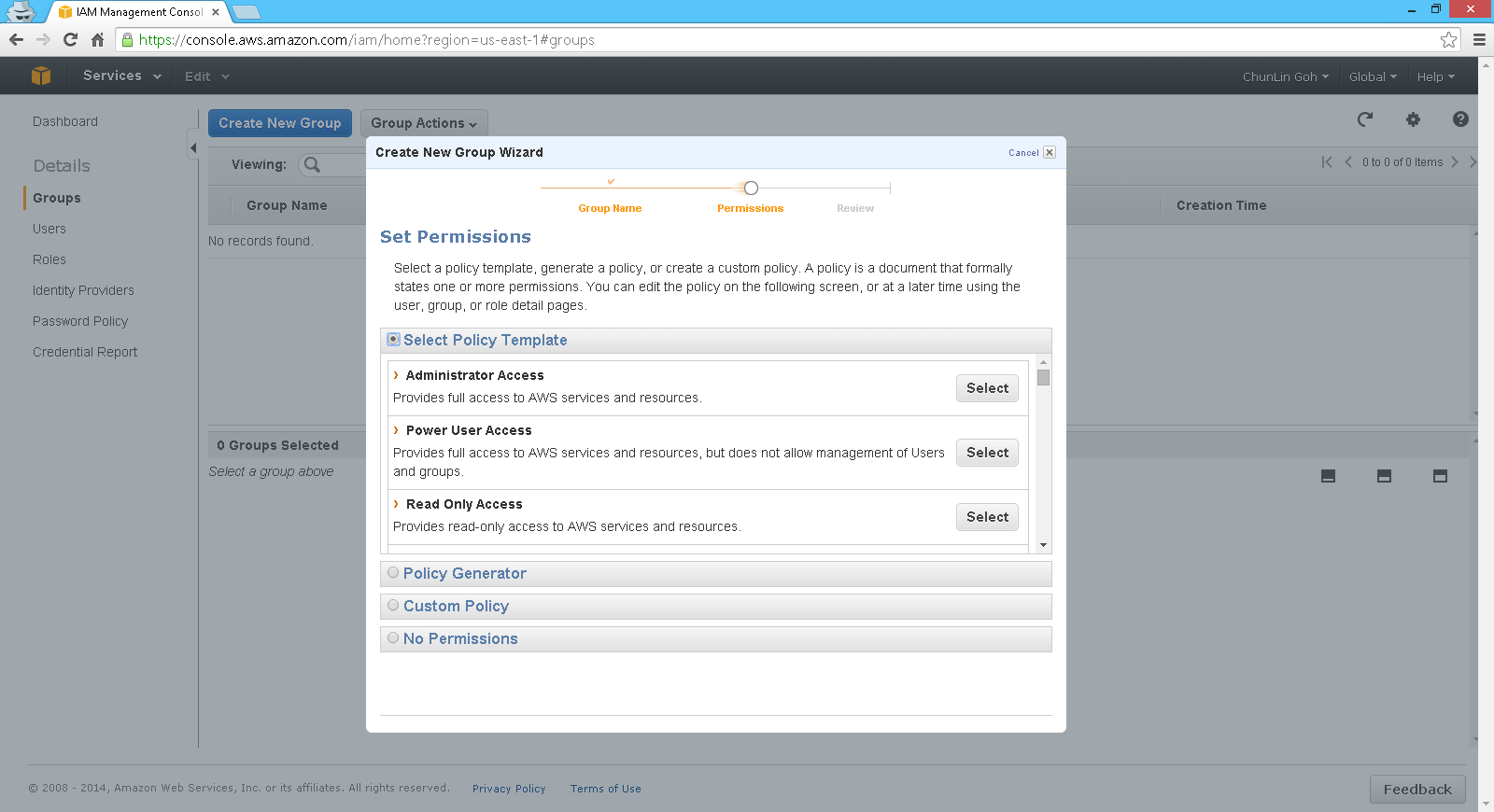
Besides creating users, we are able to create groups. Thus, instead of assigning each similar user a same set of access control policies, we can also assign the users to a group and then bind the access control policies to the group. This undoubtedly eases the user management. In addition, AWS even allows us to customize the permissions based on a given template!
There are many, many permission templates available when creating a user group.
Another thing that I find interesting is how IAM works with tags.
In order to manage Amazon EC2 resources effectively, we can now tag the resources ourselves with a combination of a key and a value. For example, we can tag our instances in EC2 by owner. So, we can have one instance tagged with “Environment=Production” and another instance tagged with “Environment=Test”. After that, we then can grant IAM user permission to the instances by using the tag with condition key ec2:ResourceTag/Environment.
Finally, in the event, Denny also shared with us a YouTube video about the best practices of using IAM. I am not sure if I got the one he was referring to. Anyway, the following video is what I found on YouTube.
The video is a bit long. So for those who say tl;dw, I summarize the 10 tips below.
Create individual users. Do not just use root credential. Do not have one user account where everybody in the team uses to do everything;
Manage permissions with groups so that only one change needed to update permissions for multiple users. Even now you only have one user in the team, it’s encourage to create a group for that user because at some point there will be new users who are going to need the same permissions;
Grant leas privilege. Only grant the permissions that are required by the users to do their jobs. Less chance of people making mistakes. Avoid assigning asterisk (*) policy for permissions which means full access unless the account is for admin;
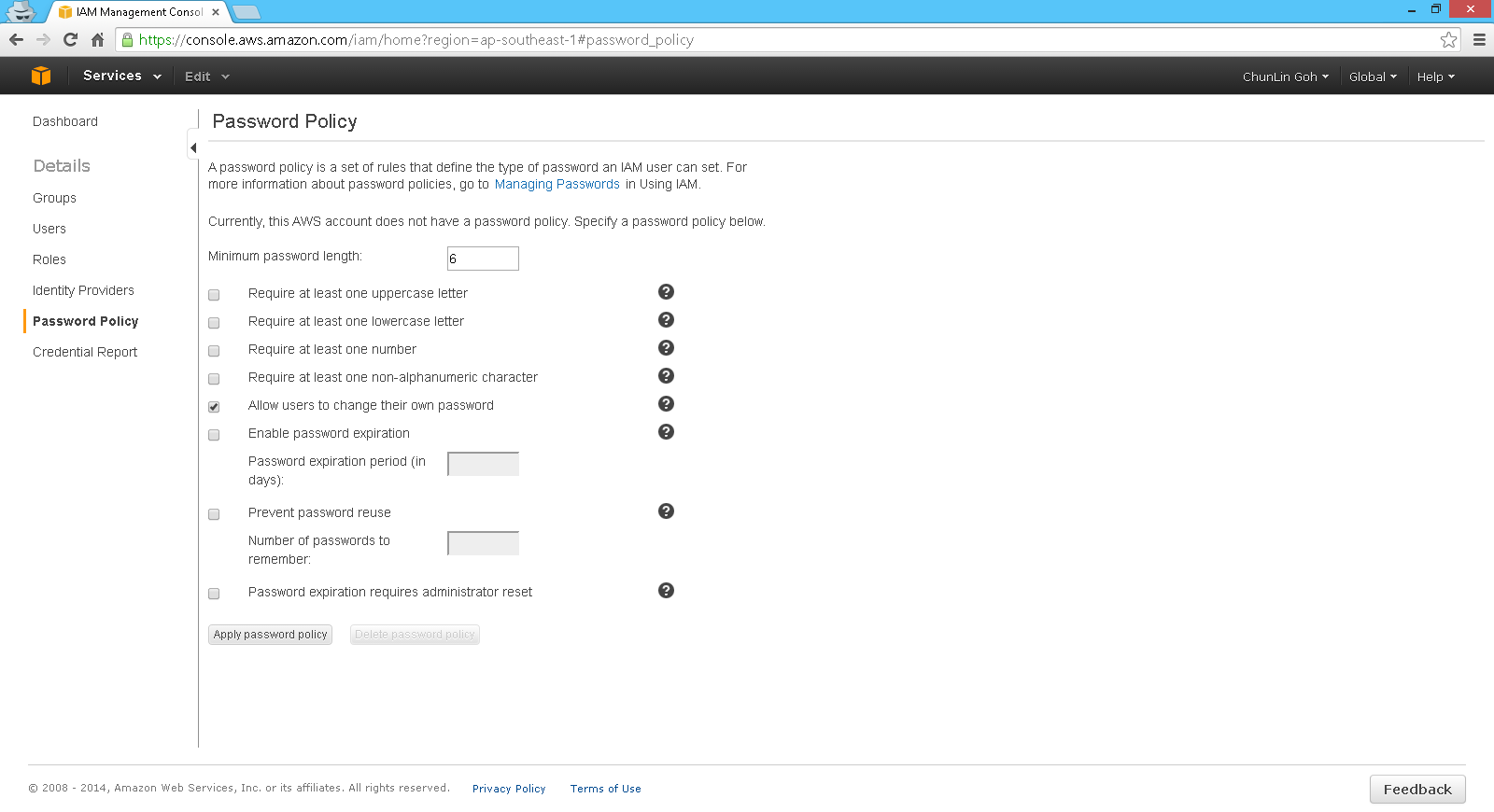
Use a policy to force users having a strong password;
Use IAM roles to share access without the need to share security credentials;
Rotate security credentials regularly. Access keys need to be rotated. Make sure the old access keys have been deleted after the rotation;
Restrict privileged access further with conditions. There are 2 types of conditions. One is AWS common condition, such as date, time, MFA, secure transport (allow traffic coming over SSL only), source of IP, etc. Another one is service-specified condition. Some services provide hundreds of conditions that we can control;
Reduce or remove the use of root account.
“What? You are always using root credential?” The best practice of all: Don’t use root access. (Image Credit: Is the Order a Rabbit?)
Next Episode
There are many topics about AWS covered during the event. IAM is just a small part of it. However, with just IAM alone, I already feel that there are too many areas in IAM waiting for me to discover. Hence, I will continue to write more about what I’ve learned in the future blog posts.
Also, due to the fact that I am new to AWS, if you spot anything wrong in my posts, feel free to correct me in the comment section below. =)
Yesterday, the two-month Tech Elite competition officially ended. This time, it took place in APAC. Microsoft technology lovers from Singapore, Malaysia, New Zealand, and other 5 countries were able to gather in one place known as Microsoft Virtual Academy (MVA). In MVA, there are many essential learning resources on a lot of cool topics, such as Microsoft Azure, Windows Server, mobile app development, and C# programming, available.
We can take the courses that we like in MVA and then earn the points by attending the online lectures and finishing the quizzes. So, within these two months, points earned in the officially recommended courses will be used to decide the winner of the Tech Elite competition. The first prize is a Nokia Lumia 1520. Too bad. My ranking on MVA is not even close to the first place. =P
How I feel when I am doing self-learning without proper guidance from the experts (Image Credit: 9gag.com)
Learning from the Pros
Although I did not manage to get the phone, I am still quite happy with what I’ve learned in the past 60 days.
I took only one course, “Windows Azure for IT Pros Jump Start”. It is one of the long courses which consist of more than 10 chapters in Tech Elite.
Normally, I spent around one and a half hours after my work to attend the lecture on MVA. I will first read through the lecture slides before I proceed to watch the lecture video recording. It normally took me around 1 hour to finish the materials and then another 15 minutes on the quiz of each chapter.
The sessions in the course are prepared by David Tesar, Microsoft Lead Azure Technical Evangelist, and David Aiken, Azure Group Technical Manager. They made the sessions to be fun and interesting. I would even laugh in front of my computer when I was watching the recording of their lectures. So, it is quite an enjoyable learning process.
You can enjoy the fun shows presented by David and David on MVA
I have left the school for two years. However, it does not mean that learning should get left behind. When I talk to my friends working in different industries, I am always shocked by the fact that how little I know. In work, I am also constantly challenged again and again with new requirements, new technologies, and new ideas. Hence, frequent exposure to a broad range of topics and exploring stuff which matters in my career as a software engineer are necessary.
Self-learning, unfortunately, has a limitation. I am working in a startup. Time and energy are the two most important things for me. Hence, with the limited time, self-learning without a guidance cannot bring me too far. MVA has thus become an ideal place for me to get more knowledge by directly learning from the tech masters.
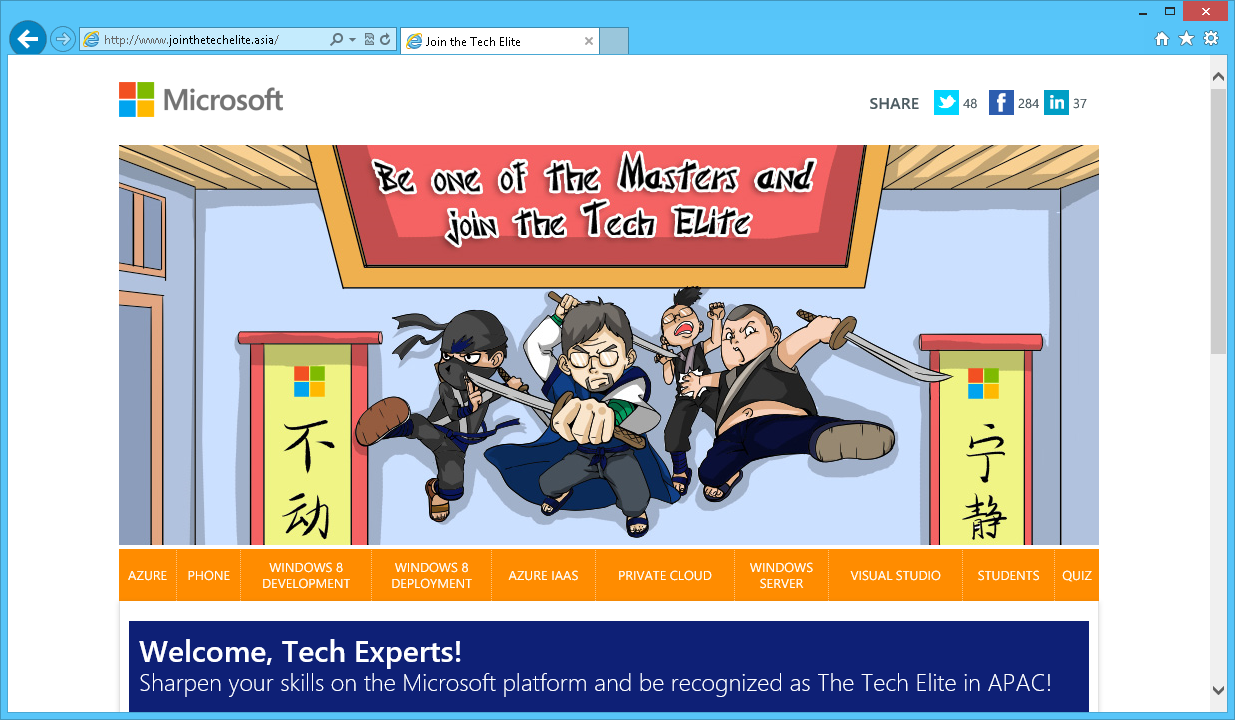
Join the Tech Elite – APAC
Schedule
Acquiring new knowledge is a never-ending process, even after I graduated from NUS. Hence, self-learning is a way for me to be open to new opportunities and to keep pushing myself forward.
However, since I left the university and started my work in startup, finding time to do self-learning is a challenge. I once tried to wake up around 6am in the morning to attend the online lecture before going to work. Unfortunately, my body did not like this. Every day, getting out of my bed is still my biggest challenge. Hence, eventually, I decided to just do the learning after work for one to two hours.
Studying after work is not easy as well. It is tiring. Luckily, Davids did a very good job in MVA by making the course to be interesting. Even though the content is interesting, studying for more than 2 hours after a long day at work is inefficient because I probably won’t learn much in long-hour studying. So, 1 or 2 hours of self-learning is just nice.
Tech Elite in APAC and OneSword
My character used in MVA together with OneSword
It is a great experience to learn in Microsoft Virtual Academy because I get to learn more Microsoft technologies in an organized way. By the way, for those who wonder why I keep learning MS stuff, it is because my company is using .NET technology a lot. So finding out more about the tools that I am using in my daily life is a natural thing to do in my self-learning.
You should have noticed that the homepage of Tech Elite has this ninja theme. People always like to use “ninja” to refer to good programmer. Even in the previous Microsoft hackathon, I have been seeing the word “ninja” around. There was even a person in ninja costume walking around during the Microsoft hackathon. I don’t know why they do that and why there are so many people like to call themselves ninja. So, in the Tech Elite, I have designed my avatar to not have the ninja design. I also added a sword, aka OneSword, to the character. Ya, why not?
Yup, so my self-learning is not just about coding, setting up servers, but also about cute stuff like drawing as well. =)










 cuteprogramming