IBM Connect 2015: SoftLayer and Bluemix

IBM Connect 2015 - SoftLayer - Bluemix

With different challenges emerging every other day, startups nowadays have to innovate and operate rapidly in order to achieve exponential growth in a short period of time. Hence, my friends working in startups always complain about the abuse of 4-letter word “asap”. Every task they receive always come with one requirement: It must be done asap. However, as pointed out in the book Rework by Jason Fried from Basecamp, when everything is expected to be done asap, nothing in fact can be really asap. So, how are startups going to monetize their ideas fast enough?

To answer the question, this year IBM Connect Singapore highlighted two cloud platforms, SoftLayer and Bluemix, which help to assist startups to build and launch their products at speed.

IBM Connect 2015 at Singapore Resorts World Sentosa

SoftLayer, IaaS from IBM

SoftLayer is a very well-known IaaS cloud service provider from IBM. Currently, SoftLayer has data centres across Asia, Australia, Europe, Brazil, and United States. William Lim, APAC Channel Development Manager at SoftLayer, stated during the event that there will be two new data centres are introduced for every two months on average. In addition, each data centre is connected to the Global Private Network which enable startups to deploy and manage their business applications worldwide.

With Global Private Network, SoftLayer users won’t be charged for any bandwidth usage across the network. Yup, free! Bandwidth between servers on the Global Private Network is unmetered and free. So, with this exciting feature, startups are now able to build true disaster recovery solutuion which requires file transfer from one server to another.

William Lim sharing story about Global Private Network.

What excites me during the event is the concept of Bare Metal Server. With Microsoft Azure and Amazon Web Services (AWS), users do not get predictable and consistent performance especially for I/O intensive tasks when their applications are running on virtual-machine based hosting. In order to handle I/O intensive workloads, IBM SoftLayer offers their users a new type of server, Bare Metal Server.

A Bare Metal Server is a physical server which is fully dedicated to one single user. Bare Metal Server can be setup with cutting-edge Intel server-grade processors which can then maximize the server processing power. Hence, for those startups that would like to build Big Data applications, they can make use of Bare Metal Server from SoftLayer to perform data-intensive functions without worrying about latency and overhead delays.

Bluemix, PaaS from IBM

As a user of Microsoft Azure Cloud Service (PaaS), I am very glad to see the Bluemix, PaaS developed by IBM, is also being introduced in the IBM Connect event.

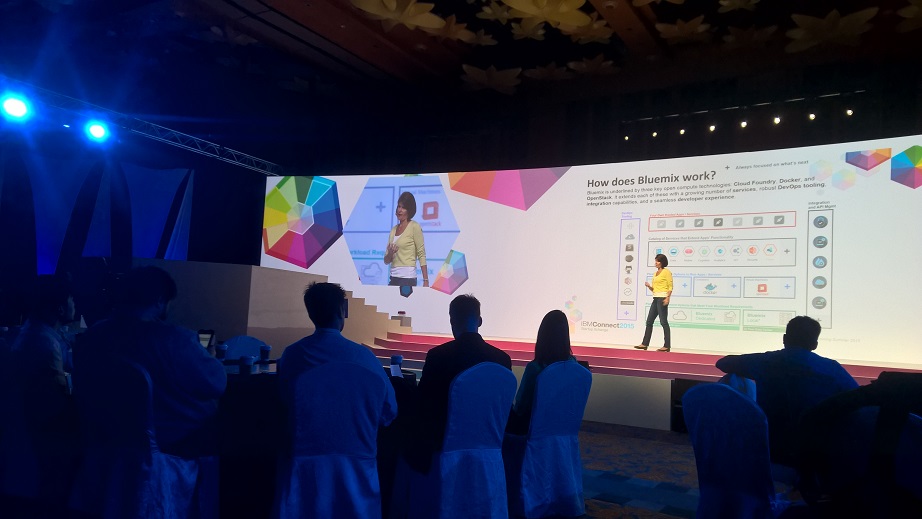
Amelia Johasky, IBM Cloud Leader (ASEAN), sharing how Bluemix works together with three key open compute technologies: Cloud Foundry, Docker, and OpenStack.

One of the reasons why I prefer PaaS over IaaS is because in a startup environment, developers always have too many todos and too little time. Hence, it is not a good idea to add the burden of managing servers to the developers. Instead, developers should just focus on innovation and development. In the world of PaaS, tons of useful libraries are made available and packaged nicely which allows developers to code, test, and deploy easily without worrying too much about the server configuration, database administration, and load balancing. (You can read about my pain of hosting web applications on Azure IaaS virtual machines here.)

After the IBM Connect event, I decide to try out Bluemix to see how it’s different from Azure Cloud Service.

The registration process is pretty straightforward. I started with the Web Application Template. In Bluemix, there are many programming languages supported, including the latest ASP .NET 5, the new open-source and cross-platform framework from Microsoft team!

Many web development platforms are available on Bluemix!

I like how Bluemix is integrated with Git. It allows us to create a hosted Git repository that deploys to Bluemix automatically. The entire Git setup process is also very simple with just one click of the “Git” button. So every time after I push my commits to the repository, my app will be automatically updated on the server as well. Cool!

Bluemix enables us to deploy our web apps with Git.

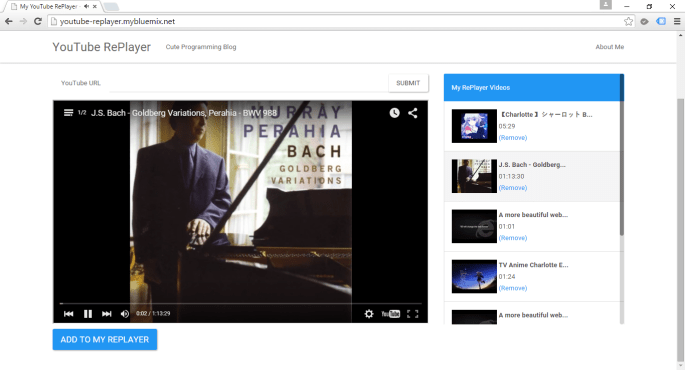
You can click on the button below to try out my simple YouTube related web app deployed on Bluemix.

Try out my app hosted on Bluemix at http://youtube-replayer.mybluemix.net/.

Bluemix is underlined by three key open compute technologies, i.e. Cloud Foundry, Docker, and OpenStack. What I have played with is just the Cloud Foundry part. In Bluemix, there is also an option to enable developers to deploy virtual machines. However, this option is currently beta and users can only have access to it if they are invited by IBM. Hence, I haven’t tried their VM option.

Finally, Bluemix currently only offers two regions, UK and US South. So for those who would like to have their apps hosted in other parts of the world, it may not be a good time to use Bluemix now.

YouTube RePlayer is now hosted on Bluemix.

Entertainment Connected to Android

GCL Project + Android + OneDrive

It has been two months since I completed Entertainment Connect for Windows 8 platform. Entertainment Connect is an application that is able to play those MP3 and MP4 media files stored in your Microsoft OneDrive storage.

Soon after I completed the application for Windows, I found out that more and more of my family and friends were buying Android phones. Thus, I decided to build another version of Entertainment Connect for Android.

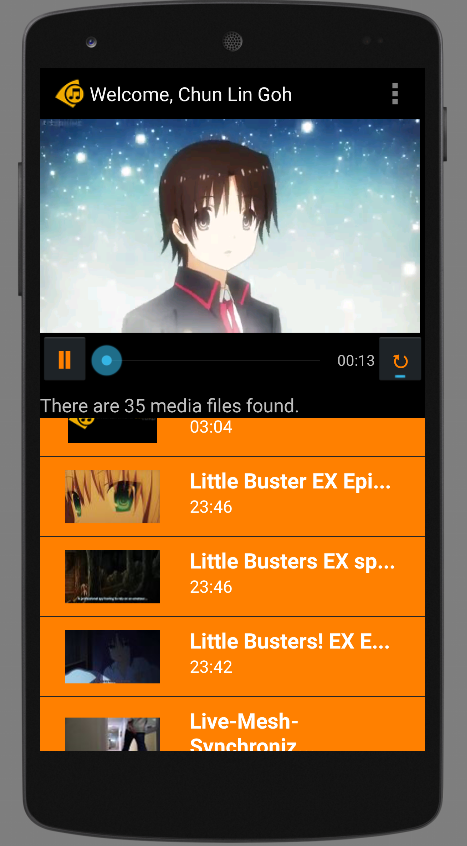
Entertainment Connect is now available on Android devices!

Today, I would like to share what I had learnt in developing my first personal Android app which makes use of Microsoft Live SDK for Android.

New IDE: Android Studio

I have been using Eclipse for Android app development in my work. Coding with Eclipse is not easy. Luckily, Google just released Android Studio, an official IDE built specifically for Android with much powerful GUI designer. In addition, due to the fact that Google encourages developers to migrate to Android Studio, I decided to try it out.

Android Studio with the login page of Entertainment Connect.

Working with Microsoft Live SDK

Yesterday, I just received notifications from Live SDK Github saying that the team was going to support and migrate to Android Studio. Finally. When I started this project, the Live SDK only supports Eclipse ADT.

It is very easy to include Live SDK to the project in Android Studio. Firstly, I need to download the Live SDK. Just download the whole project via ZIP is enough. The project consists of some useful samples which teach us how to properly use the SDK.

Secondly, I need to add new module under Project Structure.

Add new module in Project Structure.

Thirdly, I just choose the “Import Existing Project” option which will import the Eclipse project (Live SDK) as a module.

Import existing Eclipse project as module.

Finally, to make my application being able to use the Live SDK, I need to create introduce a module dependency to my app module, as shown in the screenshot below.

Introduce module dependency between app and src (Live SDK).

That’s all. If you would like to know more details about adding SDK in Android Studio, please checkout a post in StackOverflow about the import of Facebook SDK.

Can It Be More Complicated?

When I did Entertainment Connect for Windows 8 using WinJS, to create a media player, I basically just used the following codes.

var playerContainer = document.getElementById('playerContainer');
videoPlayer = document.createElement('video');
videoPlayer.id = videoStaticUrl;
videoPlayer.controls = "controls";
var videoSource = document.createElement('source');
videoSource.src = videoUrl;
videoSource.type = 'video/mp4; codecs="avc1.42E01E, mp4a.40.2"';
videoPlayer.appendChild(videoSource);
playerContainer.appendChild(videoPlayer);

With these few lines of code, I can already get a working media player with all the controls, such as play, pause, progress bar, etc.

However, this is not the case in Android app development. I am using VideoView. Hence, I also need to build my own play/pause functions and progress bar.

Also, I realized there was a bug if I switched from playing video file to audio file on VideoView. The image part of the previous video will stay even though the audio starts playing already. Hence, I added the following few lines of code to reset the background image of the VideoView so that the image of previous video will be “erased”.

videoPlayer.setBackgroundColor(Color.TRANSPARENT);
if (availableMedia.get(position).getmMediaFileName().toLowerCase().endsWith(".mp3")) {
    videoPlayer.setBackgroundColor(Color.BLACK);
}

Loading the thumbnail of media from OneDrive is also a headache in Android.

In Windows 8 app, after adding the items returned from Live SDK to a collection, I can easily bind the items to the template easily. After that, the thumbnails will be automatically shown on the screen smoothly.

<!-- Template of the list items to show available music/videos -->
<div id="mediumListIconTextTemplate" data-win-control="WinJS.Binding.Template" style="display: none">
    <div class="mediumListIconTextItem">
        <img onerror="this.src='/images/default-video-preview.png';" class="mediumListIconTextItem-Image" data-win-bind="src : picture" />
        <div class="mediumListIconTextItem-Detail">
            <h4 data-win-bind="innerText: name"></h4>
            <h6 data-win-bind="innerText: duration"></h6>
        </div>
    </div>
</div>

In Android, I have to create a background worker to retrieve the thumbnail with the following code. Then sometime when I scroll the list, the thumbnail won’t be updated immediately. Also, I need to use some tricks to make sure the correct images are displayed on the list view.

URL thumbnailUrl = new URL(imageView.getTag().toString());
HttpsURLConnection imageConnection = (HttpsURLConnection) thumbnailUrl.openConnection();
imageConnection.setDoInput(true);
imageConnection.connect();
InputStream inputStreamOfImage = imageConnection.getInputStream();
return BitmapFactory.decodeStream(inputStreamOfImage);

Building Android App Is Fun

Yes, it is fun. However, it’s slower than Windows 8 app development. It’s just too bad that not a lot of my friends really go Windows Store to download desktop apps. So I have no choice but to build Android version of my app also.

I will try to publish Entertainment Connect to Google Play soon after I have fixed my debit card issue. Currently, I still encounter problems on paying developer registration fee with Google Wallet. Oh well.

Meanwhile, feel free to read rest of Entertainment Connect (Android) code on Github: https://github.com/goh-chunlin/EntertainmentConnectAndroid.

Entertainment Connect (Android) GitHub Banner

Travelling with Easybook.com: Four Young Developers in 2D2N Malaysia Trip

I’m working in Easybook.com, a rapidly growing MNC with headquarter in Singapore. Easybook is currently a tour agency with the largest online coach ticketing website in Malaysia and Singapore.

This year, we successfully recruited many young software engineers from different countries. Most of them had never been to many interesting places in Malaysia. Hence, in order to help the newcomers in my team to understand more about local express bus industry and places in Malaysia, I suggested to have a short trip to Kuala Lumpur, the capital of Malaysia.

Planning the trip to Kuala Lumpur.

Purchase the Coach Tickets

After we had decided to visit Kuala Lumpur, we went to our website to book 2-way coach tickets to and from Singapore and Kuala Lumpur.

Easybook.com is a very convenient one-stop booking for travelers to plan an entire trip from beginning to end in Malaysia. By simply keying the origin and destination as well as the travel dates, we could find out the coach services suitable to us.

Search coach trips in Easybook is very simple.

After that, we proceed to book hotel rooms. Easybook.com is an affiliate agent of Agoda. Hence, we can search for the hotel rooms in Easybook.com too!

Easy Payment

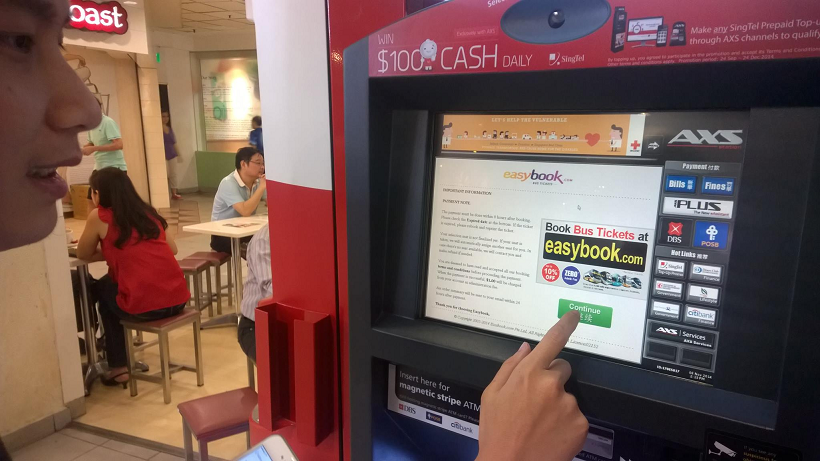
Easybook.com provides many ways for customers to make payment. AXS Station is one of them. By scanning the barcode of the coach receipts that we got from coach booking steps, we could easily make payment in any of the AXS Station located in Singapore.

Easybook customers can now make payment in AXS Station in Singapore.
Easybook customers can now make payment in Singapore AXS Station.

The Midnight Journey from Singapore to Kuala Lumpur

We checked-in at the coach counter located at Boon Lay after work. We presented our order summary printed from Easybook.com website to the counter staff. The counter is installed with Easybook system as well. Hence, the staff is able to easily validate our tickets and inform us the correct coach plate number with the help of Easybook waybill. Soon, the staff brought us to board the coach waiting outside the counter.

Coach counter staff is using Easybook system to validate our tickets.
The express coach is here!

After the journey of 5.5 hours from Boon Lay, we reached the first drop-off point in Kuala Lumpur, Terminal Bersepadu Selatan (TBS). It was around 4am. So, the entire terminal was very quiet. After that, the coach continued its journey to its last stop in Kuala Lumpur, Berjaya Times Square.

The quiet TBS at 4am.

We reached Berjaya Times Square 30 minutes later. Most of the shops, except 7-Eleven, were not yet open. The street was very quiet with only few of us walking and chatting.

Visit to Kuala Lumpur City Centre

It’s very easy to travel in Kuala Lumpur city area. You can choose to travel by bus, taxi, LRT, train. Or, if you are as young as us, then you can walk from one attraction to another!

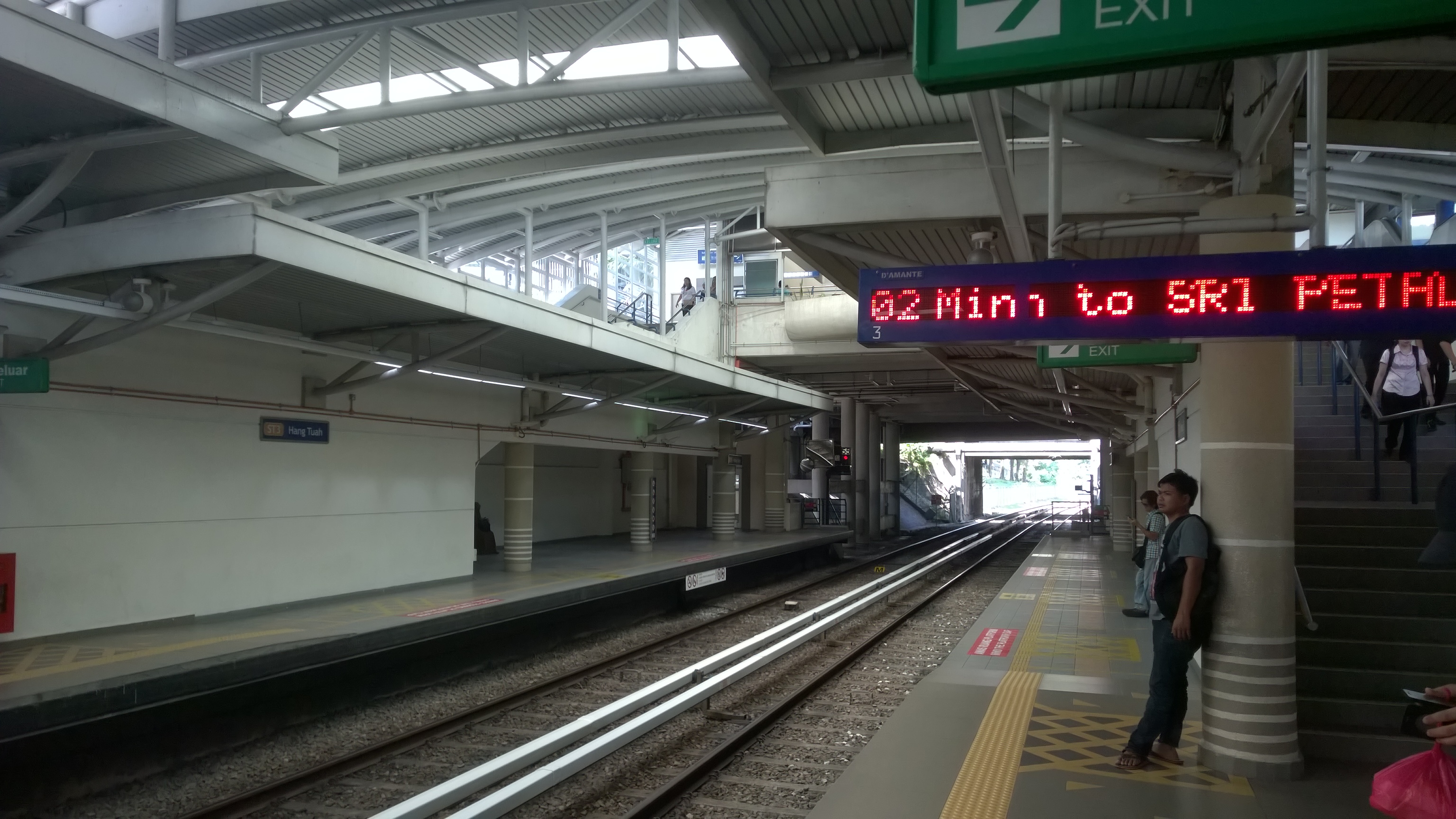
Waiting for RapidKL LRT.

We decided to have the famous Bak Kut Teh as our lunch. We took LRT because the restaurant selling Bak Kut Teh was quite far from our hotel. The Bak Kut Teh in Kuala Lumpur has totally different taste from the one we always find in Singapore. The soup is herbal soup, instead of peppery soup.

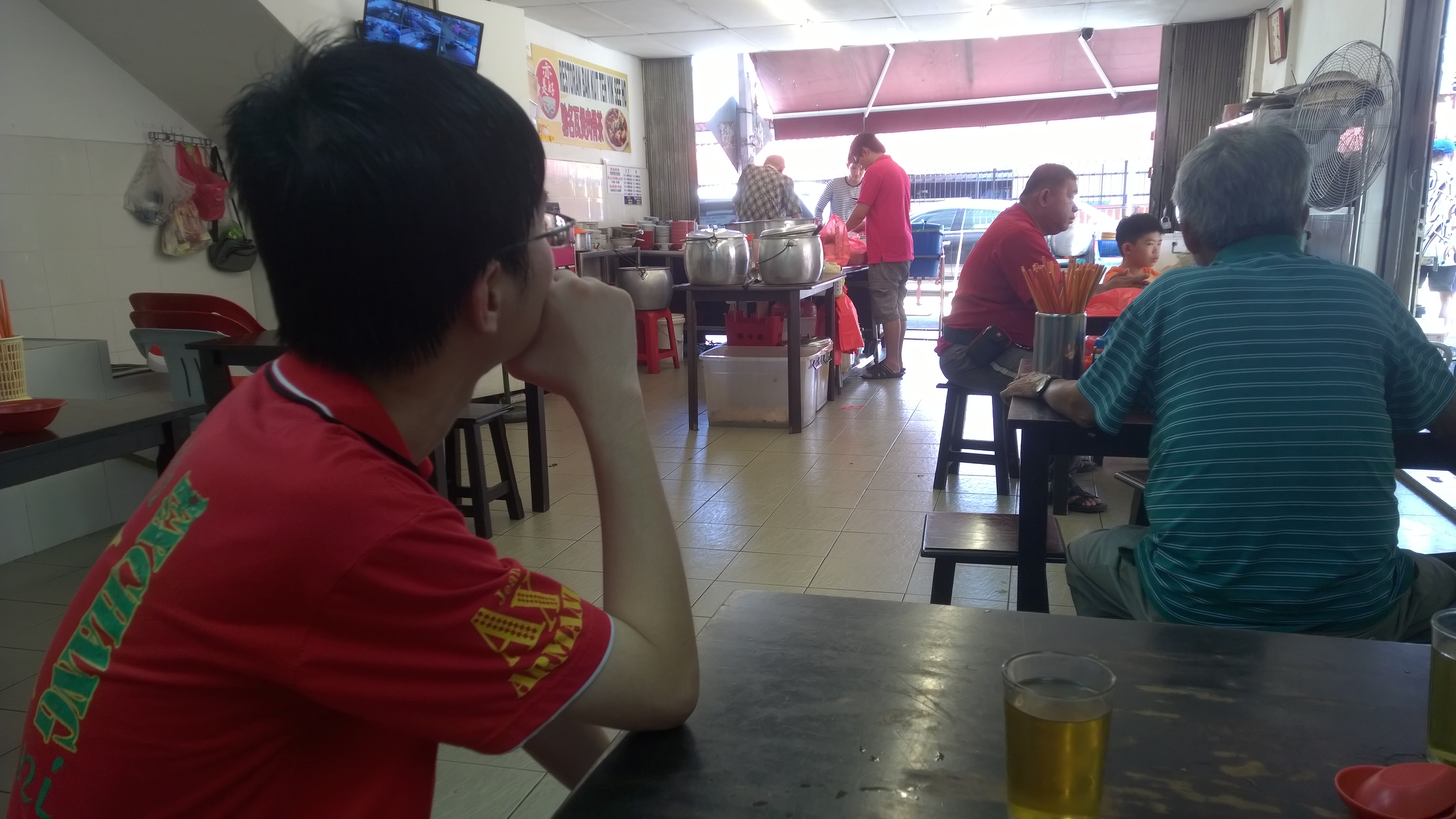
Waiting Bak Kut Teh to be served.

After lunch, we visited many attractions in the city, such as Petronas Twin Tower, KLCC, Dataran Merdeka, Kuala Lumpur City Gallery, and Petaling Street.

Masjid Jamek, one of the oldest mosques in Kuala Lumpur.
Christmas decoration in KLCC.
Lok Lok, one of Malaysia local delights is available near our hotel.
Lok Lok, one of Malaysia local delights, is available near our hotel.

Our Product Is Everywhere

Even the tissue paper we use is from Easybook!
Even the tissue paper we use is from Easybook.com!

Our returning trip was on Sunday afternoon from TBS to Singapore.

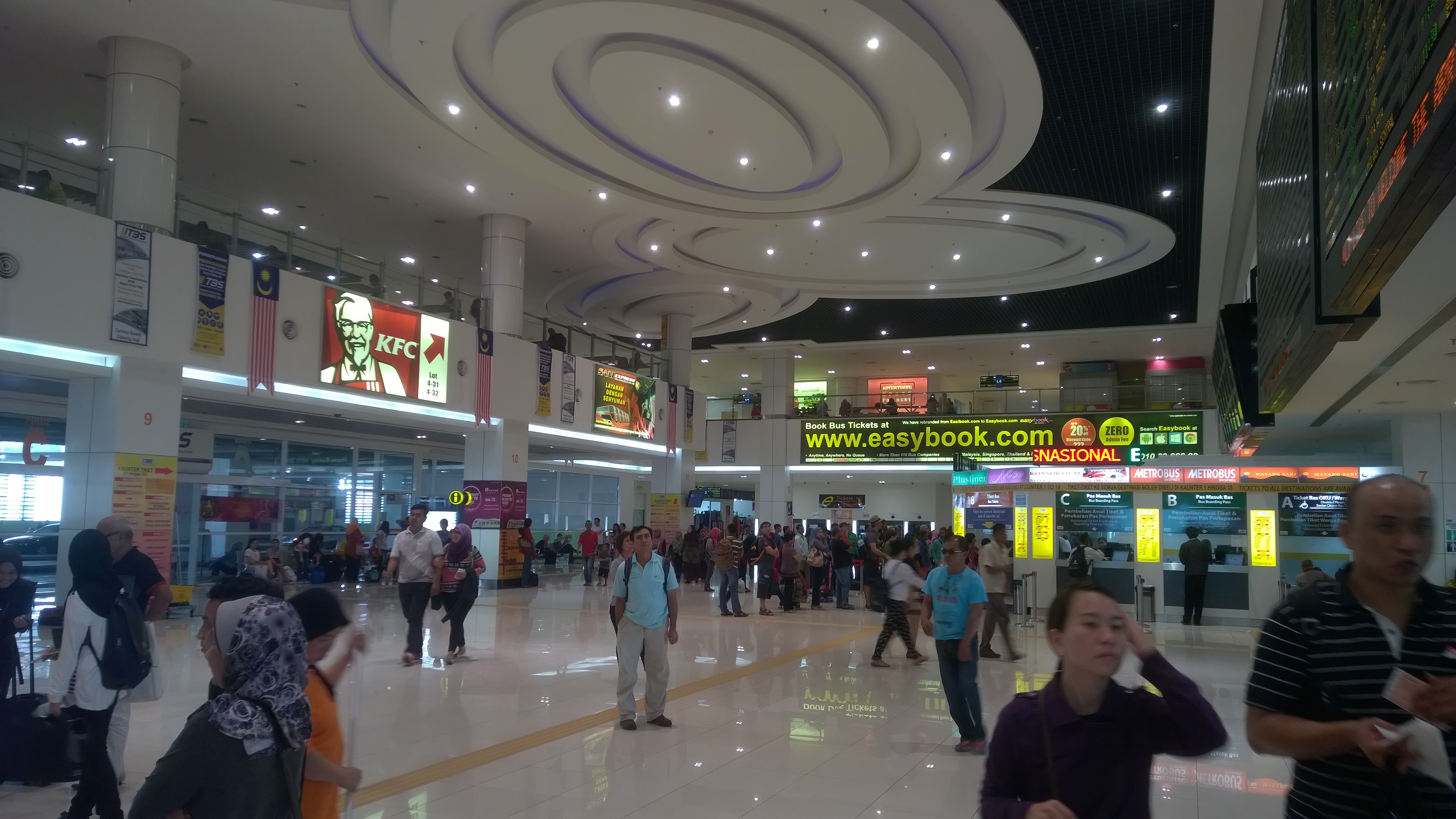
When we just walked in the the TBS lobby, what we could see was a big advertisement of Easybook.com.

In 2014, we successfully integrated with TBS system. Hence, now our customers can actually easily check-in and collect ticket at TBS.

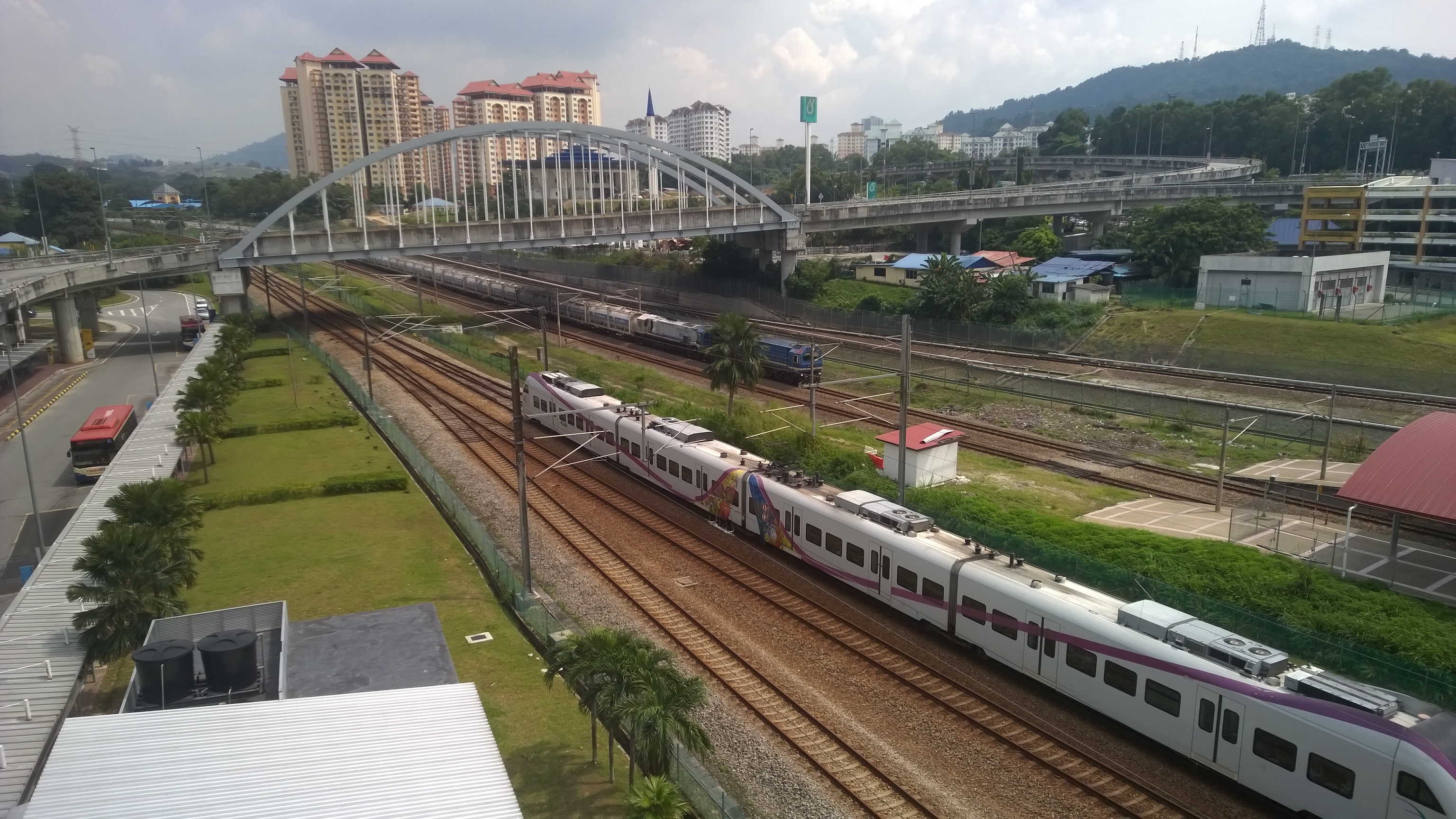
When I was walking outside the terminal, I saw the KTM Berhad train station, Badar Tasik Selatan, located just beside TBS. That reminded me the KTM Berhad train booking which was just implemented on our platform last month. Hence, our customers can easily book the train tickets on Easybook.com and then earn some loyalty points.

After we check-in at the coach counter in TBS at 12:30pm, we boarded the coach at 1:30pm to go back to Singapore.

Easybook.com advertisement is very obvious in TBS.
Check-in at coach counter in TBS with Easybook.com order summary.
Train services, such as KTM Berhad, is available in TBS as well.
Train services, such as KTM Berhad (train ticket provider on Easybook.com platform), are available in TBS as well.

Easybook.com

I think technology has the capability to make our life better. That’s why I like building software applications. Thus, it’s very important for developers to experience the changes their software brings to the society themselves.

In this trip, we have witnessed how our system improves the workflow of bus operators, how our application helps travelers to plan their journey easily, and also how our website introduces attractions in both countries to the world. I am amazed by what we have achieved so far.

With just IT system and tour, it is already almost endless what we can do. So, what is our next goal? =)

Dream – Build – Publish: My Experience in Microsoft Hackathon (2012 – 2014)

I already forgot how I got to know about Microsoft hackathon back in 2012, few months after I entered my first job.

Dream Build Launch, Wowzapp~

The first hackathon that I took part in is Dream Build Launch. I worked together with my C# guru, Desmond, to build our first Windows 8 app (which was called Metro App back then). We successfully published the app to Windows Store after two rounds of Microsoft Premier Field Engineer (PFE) consultation sessions. We named our first Windows 8 app “EsplanadeGo!”, which has 51 downloads today.

HTML5 for Metro Apps talk given by Alex Goh. Photo Credits: Spiffy
HTML5 for Metro Apps talk given by Alex Goh during Dream Build Launch event. Photo Credits: Spiffy

In December 2012, I participated in another Microsoft hackathon, Wowzapp. That was the first time I won the first prize in Microsoft competition after I graduated from university. The app that I built was called Entertainment Connect, also a Windows 8 app. User can use it to connect to his/her Dropbox account to retrieve media files and then play them in the app.

Near the end of the Wowzapp hackathon, one of the judges from Microsoft Singapore, Eugene, suggested me to build another app which connected to SkyDrive (which was later renamed to OneDrive) because he would love to use such an app and SkyDrive API was still quite new back then.

Because of Eugene’s idea of the app, I challenged myself again in the hackathon organized by Microsoft Singapore in 2014, //publish/. I decided to make Eugene’s dream come true.

//publish/

The special thing about //publish/ was that participants were allowed to bring their own existing Windows 8/8.1 projects. The focus of the event was more about publishing app to Windows Store. Hence, I took the opportunity to complete my second personal Windows 8 app, Entertainment Connect.

//publish/ hackathon was actually a 2D1N event happening worldwide. Personally, I thought the one in Singapore was the most special one because Inori Aizawa was invited as special guest to the event as well! Participants got the chance to take photo with her and won cute prizes. Also, we had the chance to try out Xbox One, the device that people were willing to queue up at Funan DigitaLife Mall for a few hours just to buy one.

Inori Aizawa and Xbox One! Photo Credits: Microsoft Singapore
Where else can you see Inori Aizawa playing Xbox One? Photo Credits: Microsoft Singapore
//publish/ organized by Microsoft in Singapore.
//publish/ organized by Microsoft in Singapore. Photo Credits: Microsoft Singapore

The event took place at The Co., a very comfortable place just next to my office. So, I got to bring laptop external keyboard and mouse, which helped to improve my coding speed.

There were tech talks given in the first morning. One of them was about Push Notification with Microsoft Azure. This talk in fact helped me a lot in my work when our company decided to do a push notification to Android and iOS phone.

Tech talk about Cortana delivered by Chun Siong.
Tech talk about Cortana delivered by Chun Siong. Photo Credits: Microsoft Singapore

Meet People

One of the great things that I love about Microsoft hackathon is that I always can meet imba people here. By just having a chat with them, I get to learn more technologies out there, such as Arduino, Azure Media Services, iOS development, and so on.

Because of this event, I also had the opportunities to make friend with Microsoft Singapore engineers who help me a lot in my work.

Entertainment Connect

Entertainment Connect is my submission for //publish/ in 2014.

Entertainment Connect
Entertainment Connect (Available now at Windows Store)

What’s so special about Entertainment Connect? Isn’t it just a media player that can play videos and songs? What else?

Firstly, yes, it is a media player. However, it is not a normal media player which can only play the local media files. It connects to your OneDrive account and retrieves available media files from there.

Secondly, I make it so that when you switch from one media file to another, the previous media file is paused and is hidden in the background. So, you can, let’s say, click on one video, play it halfway, then click on another song, then jump back to the same video again and continue from where you stop earlier. So this is actually similar to the “Parallel Video Downloading” feature that I introduced back then in YouTube Re-Player (Desktop) in 2009. The only difference is that now it does not limit the number of videos to be just 5.

Parallel Media Downloading from OneDrive to Entertainment Connect

Thirdly, it supports playing audio in the background. This means that even though the app is running in the background, users can still continue listening to the music and at the same time they can also control the media player.

SystemMediaTransportControls

Finally, it can loop songs and videos. Yup, re-playing is always the must-have feature in the media player programs that I build. =)

Wait, It Was 6 Months Ago!

Some of the readers by now should have realized that //publish/ actually happened 6 months ago. Why do I only blog about it now? Well, the answer is that I choose to blog about it after I successfully publish Entertainment Connect to Windows Store. So, why does it take so long for me to publish an app? This is because I have little time to work on it after the event.

Simple to-do list kept in OneNote

I have learnt the key to finishing a personal project is to work on the project every day. However, I have a full-time work which requires me to OT always. Sleeping has thus become my top priority after work. However, I still try to at least work on the project by writing a few lines of code or just staring at Visual Studio for a few minutes. So, after 6 months of doing so, I am finally able to publish Entertainment Connect.

There is a saying, “Only do side projects you are absolutely crazy about.” Hence, I also installed Entertainment Connect on my laptop so I got to use it daily. The reason of doing so is to force me to remember about the project and to easily find out bugs in the app.

Today, I am happy that I successfully realize the dream of Eugene about a Windows 8 app that he can use to connect to play the media files stored in his OneDrive. In fact, I am very happy to have taken up this challenge and complete the app by myself even though the entire process is tiring.

Prize

Prize is Nokia Lumia 1520!

I’d also like to take this chance to thank Microsoft Singapore team for giving me a special prize for Entertainment Connect during //publish/. It was a brand new Nokia Lumia 1520. Coincidentally, my Android phone stopped functioning few days before the event. So, I managed to get a new modern smart phone for free.

I should blog about the phone next time to show how good/bad Nokia Lumia 1520 is. =P

Downloads

Entertainment Connect is now available at Windows Store. You can visit the page http://apps.microsoft.com/windows/en-us/app/entertainment-connect/41d91a6b-6b56-4ae8-94b9-9b5f1053ca92 to download it now. It is free. =)

For developers who are interested to read the codes of app written in WinJS, please checkout the source code of Entertainment Connect on GitHub: https://github.com/goh-chunlin/EntertainmentConnect.

Entertainment Connect is now on GitHub!
Entertainment Connect is now on GitHub: https://github.com/goh-chunlin/EntertainmentConnect!