Playing with Fiddler

Fiddler - HTTPS

I just downloaded Fiddler. I would like to see how I can make use of it, so I noted down some of the things that I have tried out.

Experiment 01: Process Filter

The first thing that I realized when I used Fiddler is that there are too many information being displayed especially when there are too many programs accessing the Internet. This is because, as advertised, Fiddler is a web debugging proxy for any browser (Microsoft Edge is included as well!) that works independently.

Fortunately, Fiddler providing a filtering function “Process Filter” to enable us to capture traffic coming from a particular browser, instead of all browsers.
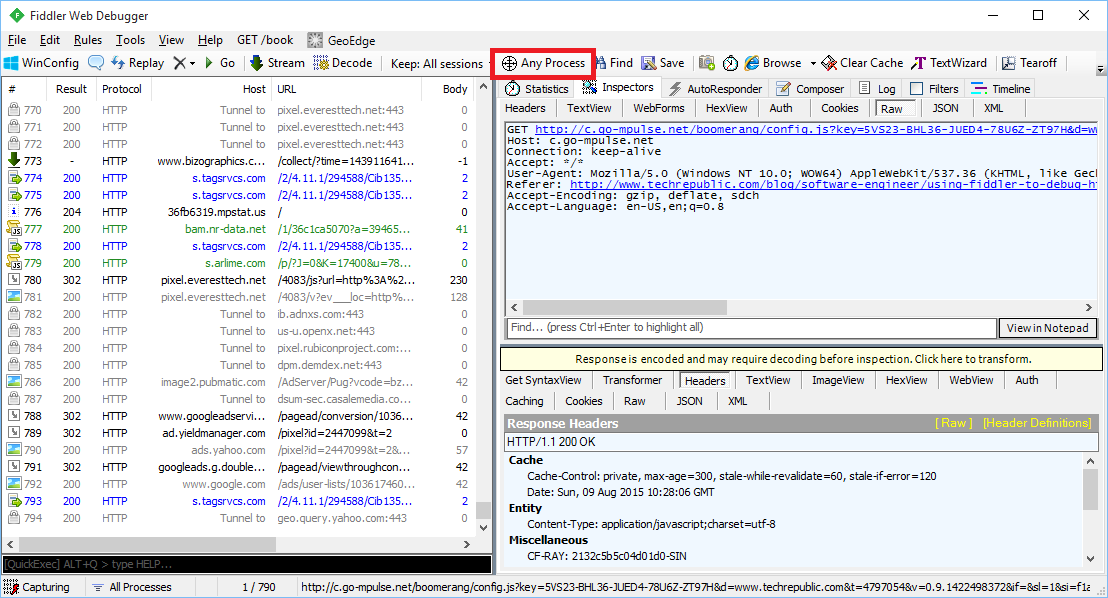
Just drag and drop the icon on the browser you want to track.

Experiment 02: Performance Profiling

By just filtering and selecting the relevant sessions, we would be able to generate a web page performance report about total number of requests, total bytes sent and received, response time, DNS lookup time, response bytes by content type in a pie chart, etc.

Performance profiling of id.easybook.com, an Indonesia bus ticket booking website.
Performance profiling of id.easybook.com, an Indonesia bus ticket booking website.

By clicking on the “Timeline” tab, we will be able to get an overview of activities recorded. It is one of the useful features to start investigating performance issues in our web application.

Transfer Timeline diagram of id.easybook.com.

Experiment 03: Decrypt HTTPS Traffic

By default, Fiddler disables HTTPS decryption. However, nowadays most of the websites that we would like to debug are using HTTPS encryption. So, it’s sometimes necessary to set it up to work with HTTPS traffic.

HTTPS decryption is disabled by default.

First of all, we just click Tools -> Fiddler Options.

In the “HTTPS” tab of the popup window, we need to enable both “Capture HTTP CONNECTs” and “Decrypt HTTPS Traffic”. To intercept HTTPS traffic, Fiddler generates a unique root certificate. In order to suppress Windows security warnings, Fiddler recommends to have our PC to trust the cert. Hence, there will be a warning message shown after we click on the “OK” button.

Yes, scary text! Are you sure you want to trust the certificate?

However, Windows cannot validate the certificate properly, so we will be asked if we really want to install the cert.

Are you sure you want to install certificate from DO_NOT_TRUST_FiddlerRoot?

Finally, we will also be asked if we wish to add the cert to our PC’s Trusted Root List.

Adding cert to PC Trusted Root List.

If we want to remove the cert from the PC’s Trusted Root List, we can always do so by clicking on the “Remove Interception Certificate” button in the Fiddler Options window.
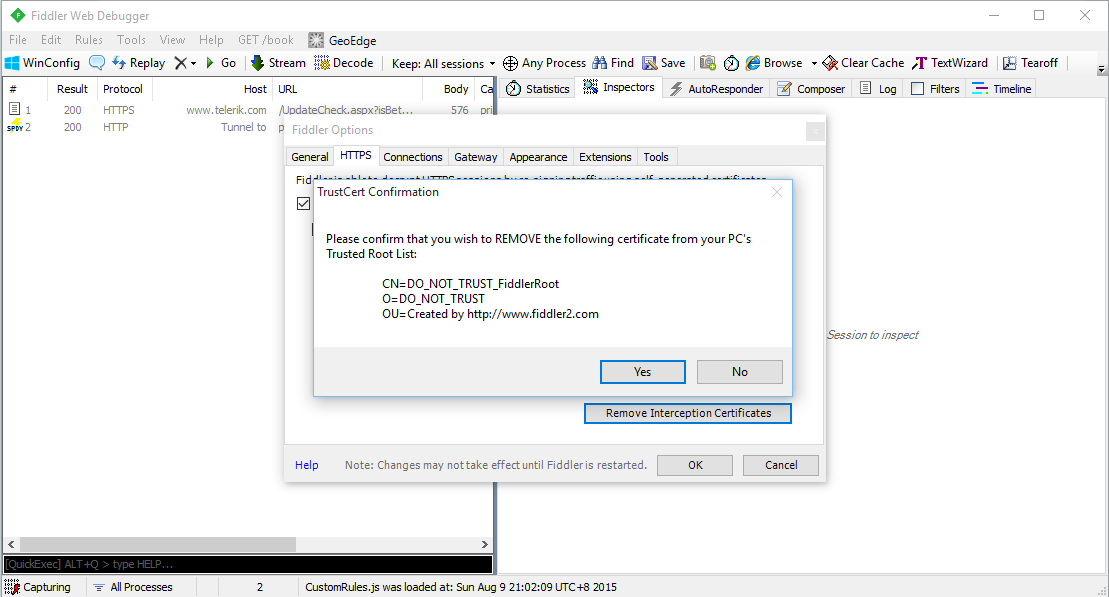
Removing cert from PC Trusted Root List.

To understand the implications of enabling HTTPS encryption and installing the cert, you can read a discussion on Information Security Stack Exchange about 3rd party root certificates.

Summer 2015 Self-Learning Project

This article is part of my Self-Learning in this summer. To read the other topics in this project, please click here to visit the project overview page.


Summer Self-Learning Banner

Summer 2015 Self-Learning

Summer Self-Learning
It has been about half a year since I started to learn ASP .NET MVC and Entity Framework (EF). In this period of time, I have learnt about not just MVC and EF, but also Azure PaaS, Google Maps API, web application security, cool jQuery plugins, Visual Studio Online, etc.

In the beginning of May, I started to note down useful things I’d learned in my learning journey. Months of bringing together information in this summer has helped me compile my notes about what I’ve learned in the past 6 months. I have currently completed compiling notes for 17 topics that I’ve learnt in this summer.

I listed down the title of the 17 posts below to give you a quick overview about all the 17 topics.

Contents

ASP .NET MVC and Entity Framework

Security

Microsoft Azure

Google APIs

Web Development Tools

Learning After Work

I’m working in Changi Airport. The office working hour is from 8:30am to 6pm. In addition, I am staying quite far from the airport which will take about one hour for me to travel from home to office. Hence, the only time that I can have sufficient time to work on personal projects is weekends.

This summer self-learning project is originally planned to be done by the end of May. Normally, it takes me about one day to finish writing a post. After that, if I find any new materials about the topics, I will then modify the post again. Sometimes, however, I am just too tired and I would not write anything even though it’s weekend. Hence, I end up finishing all the 17 topics three months later.

This summer learning project covers not only what I’ve learnt in my personal projects, but also new skills that I learn in my workplace. I always enjoy having a chat with my colleagues about the new .NET technology, app development, Azure hosting, and other interesting development tools. So yup, these 17 articles combine all the new knowledge I acquire.

I’m also very happy that that I am able to meet developers from both .NET Developers Community Singapore and Azure Community Singapore and share with them what I’ve learnt. That gives me a great opportunity to learn from those experienced .NET developers. =)

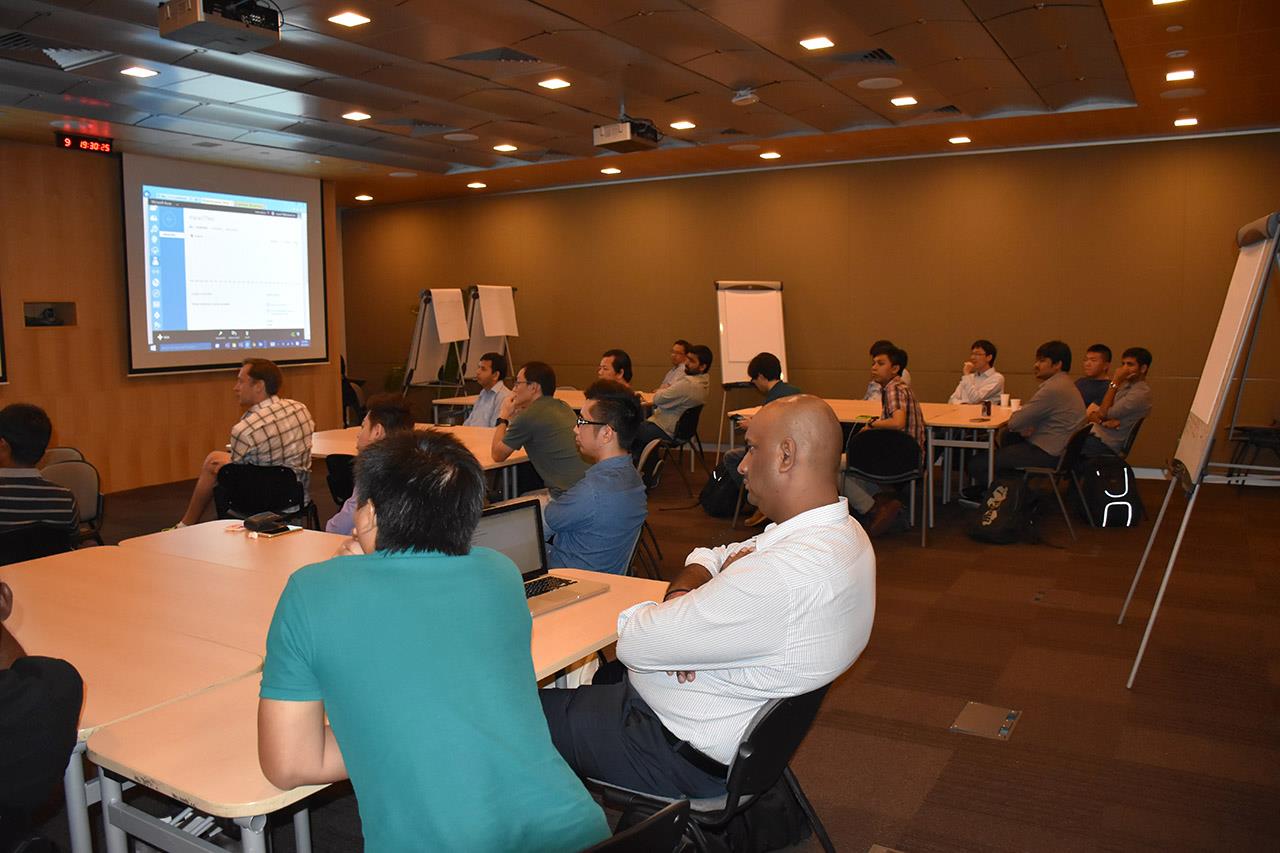
Azure Community March Meetup in Microsoft Singapore office.

I am not that hardworking to work on personal projects every day. Sometimes, I will visit family and friends. Sometimes, I will travel with friends to overseas. Sometimes, I will play computer games or simply just sleep at home. So ya, this self-learning project takes a longer time to complete. =D

Working on personal projects after work is stressful also. Yup, so here is a music that helps reducing my stress. =)