A Day in Microsoft: Having Fun with Windows 8 App Development

Last month when I read a Facebook post from Spiffy that Microsoft Singapore was going to organize a hackathon, I immediately emailed my friends about it. Desmond, one of my OneSync Dev Team teammates, gave me a prompt reply saying that he was interested to join it as well.

The event is called Dream Build Launch. It’s an event specially prepared for local developers to build their (first) Windows 8 metro-style app. Since the event was held on Saturday, I can happily participated in it without applying for leave. There are a few reasons why I would like to join the hackathon. Firstly, I wanted to learn more about WinRT. After listening to the talk delivered by Hammad Rajjoub and Bruce Wang from Microsoft in the Microsoft Campfire, I always wanted to try out the interesting features offered by WinRT.

Secondly, it’s a very good opportunity to meet imba software developers in Singapore. So, during the event, I was quite happy to see many friends from School of Computing (SoC), NUS taking part in the event also. Some of them were actually Microsoft interns. It’s also fun to share our ideas about what we’re going to build with them.

Thirdly, due to the fact that the event was held at Microsoft Singapore office, so I was very excited to see the working life in Microsoft. Their workplace was just renovated not too long ago. The office shared the same building as the NTUC centre. It’s a very clean and comfortable workplace.
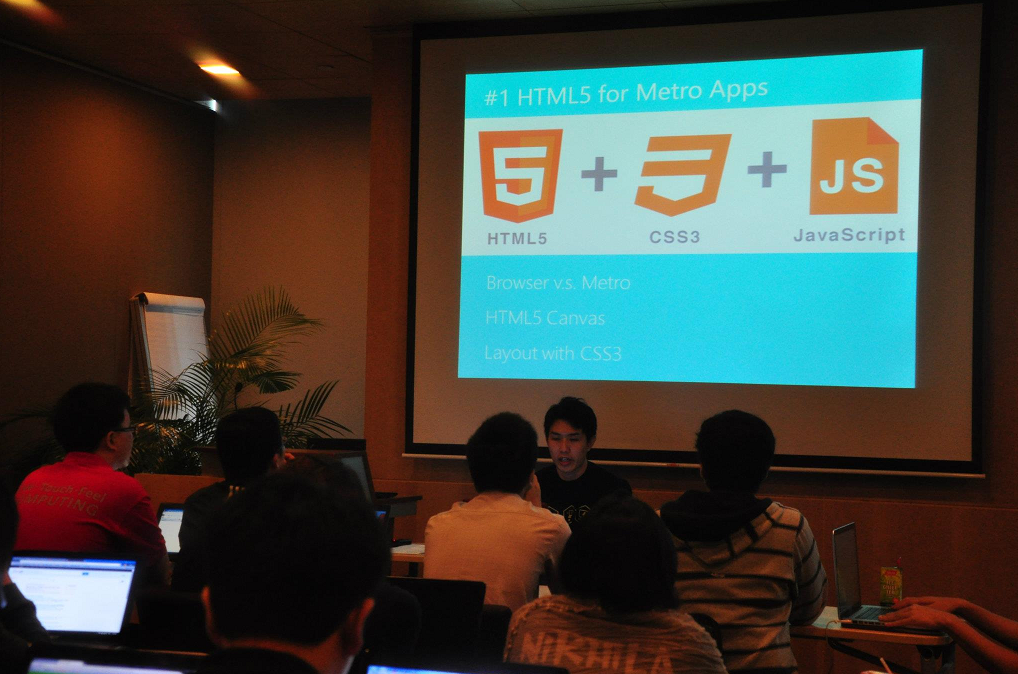
HTML5 for Metro Apps talk given by Alex Goh. Photo Credits: Spiffy

Before the hackathon began, there were two lab sessions held. Since both of the lab sessions were held at the same time, so the participants could only choose to attend one of them, either JavaScript lab or C# lab. Desmond and I finally decided to attend the JavaScript one because we’re interested to see how a metro-app could be built using HTML5 and JavaScript. I couldn’t find the slides they used in the JavaScript lab session. However, Hammad Rajjoub did share some links to the related topics on the Facebook group of the event, for example how to style controls to your preferences in metro-style apps using JavaScript and HTML. For the C# lab session delivered by Bruce Wang which both of us didn’t attend, his slides can be found here.

The hackathon began at around 1pm. We had about 22 hours to complete our app. According to the rules of the hackathon, our app needed to have a theme and the theme was ” I ❤ SG” (I love Singapore).

Introducing EsplandeGo! – The First Esplanade App on Windows 8

Three days before the event, I was thinking what kind of app we should build. After having dinner at Raffles City, I walked to CityLink Mall and then I saw an advertisement about the events in Esplanade. Then I suddenly had an idea. Why don’t we build an app about Esplanade? So, I walked to Esplanade which is located nearby to get more ideas for the app that we’re going to build.

Esplanade
Photo was taken when I visited Singapore River with Desmond and Thuat

After coming back from Esplanade, I was so excited about the idea. Thus I immediately wrote the first version of our app and emailed some screenshots of the app to Desmond to explain to him the idea of building an app which listed Esplanade events. I named the app “EsplanadeGo!”.
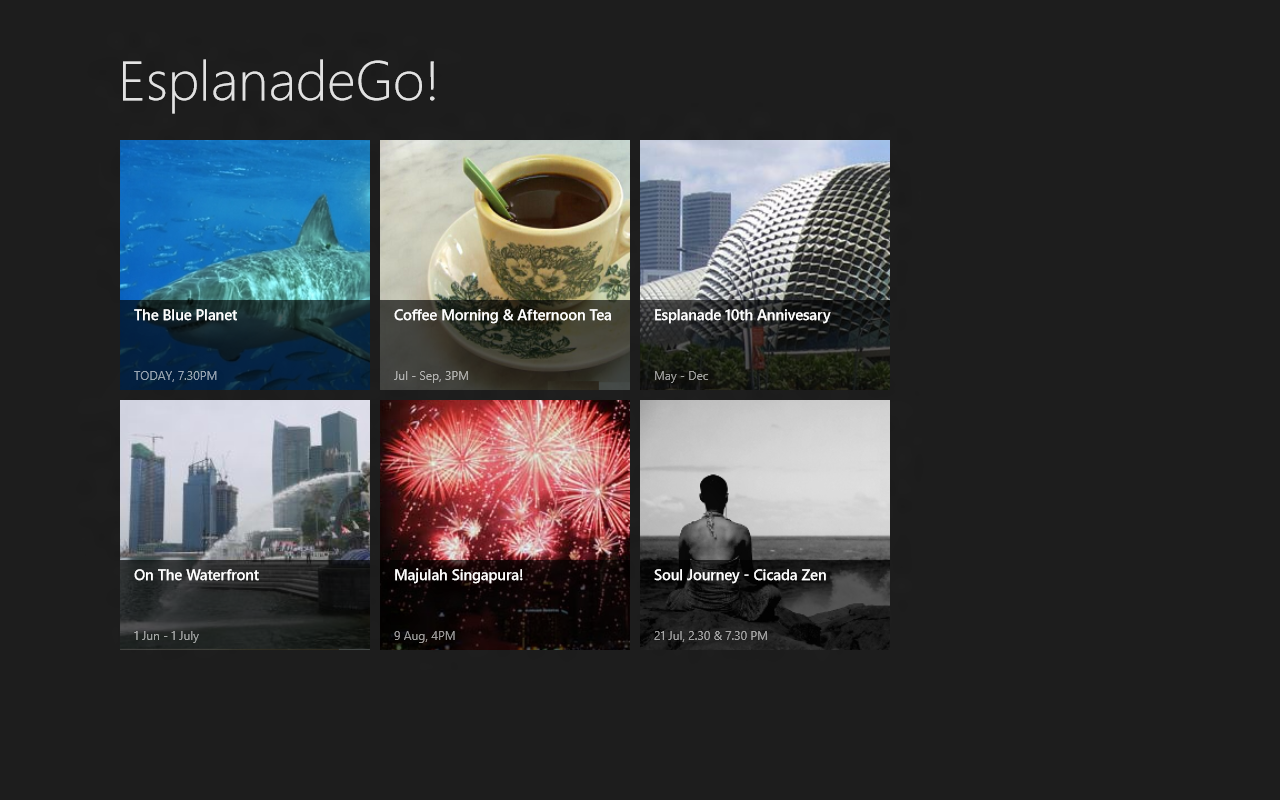
EsplanadeGo! - Draft
The screenshot of the first version that I built in half an hour

Yup, so during the event, we continued on building the app.

Desmond was in charge of writing a program to crawl the live data from the Esplanade official website. Since there would be delay when waiting the results from the crawler, Desmond used Asynchronous Programming with Async and Await. It’s a newly introduced approach to do asynchronous and concurrent programming in Visual Studio 2012 RC. Yup, so that was my first time to see how await keyword worked.

I was trying out the Search and Share contracts. After listening to the Windows 8 talk on Microsoft Camp, I always wanted to see how easy it was to add the contracts to the program. It turned out to be not so straight-forward. I also added App Bar to our app. There is a set of guidelines for developers to understand what should and should not be put in App Bar.
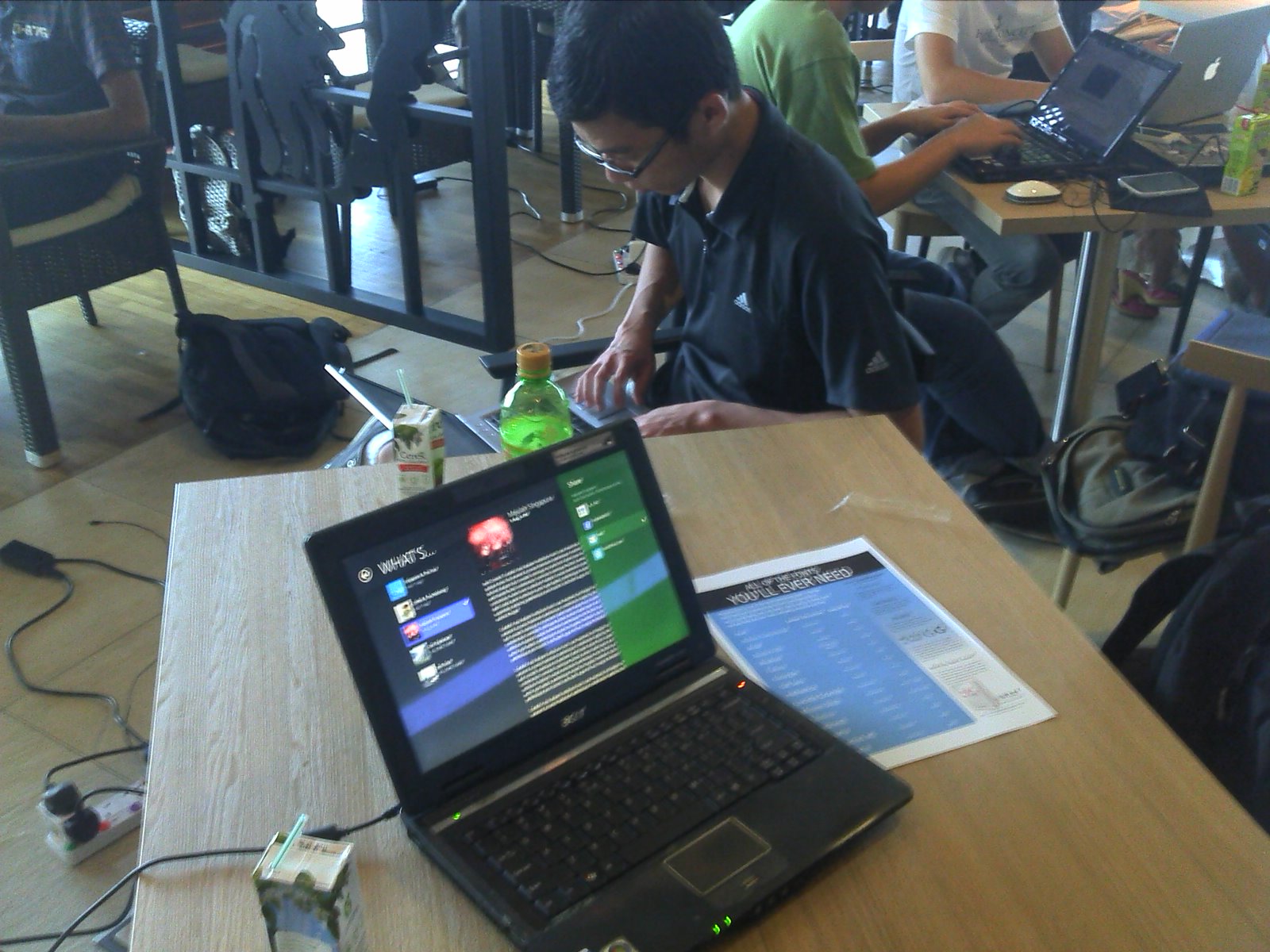
Working Hard on Our App: EsplanadeGo!
Working hard on our app, EsplanadeGo!

There is one thing that I forgot to do is making sure our program could run in an environment which had no Internet access. So, when I tried to run it on MRT after the end of the hackathon, then I realized our app actually crashed because there was no Internet connection. >__<

Nice People, Nice Food

I like the Dream Build Launch hackathon very much. I  like the workplace as well. Coding in such a nice environment is truly enjoyable. I could see the beautiful Singapore Strait clearly from the office. Watching sea, drinking free coffee, coding stuff. That partially explains why people like to work in Microsoft Singapore.

Besides the nice view, I enjoyed the speeches given by the developers and staff from Microsoft Singapore. The lab session also helped me to understand more about the possibility of WinRT, especially the way we could use JavaScript to build a Win8 app.

In the event, I also met some friendly participants during the event. It’s fun to talk to them and listen to their ideas.

Last but not least, the lunch, dinner and supper provided by Microsoft Singapore are extremely good. So, Desmond and I had to queue for about 20 minutes just to get the food.

Yup, I’m happy to take part in the event. =D
Computing Workshops @ Kuala Lumpur High School

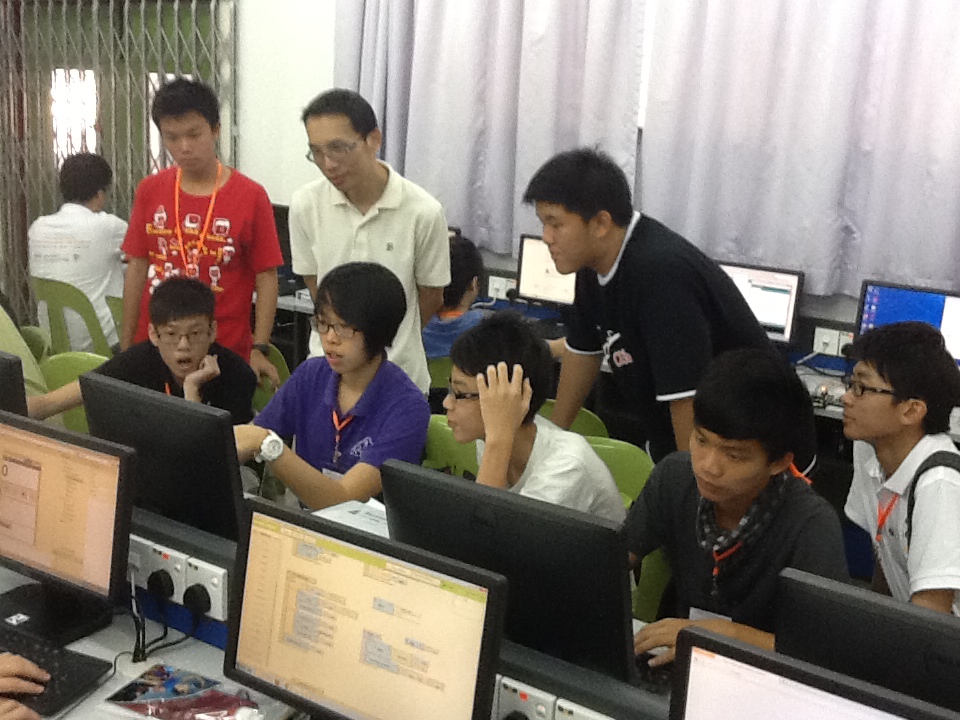
This year, I once again travelled to Kuala Lumpur. Same as two years ago, I was fortunate enough to get the chance to join the computing workshops organized by NUS School of Computing (SoC) and Chong Hwa Chinese Independent High School at Kuala Lumpur (CHKL).

Again, thanks to my boss, he happily allowed me to take leave to join the 4-day SoC computing workshops.

Introduction
The workshops were organized for the students from Malaysia Chinese independent high schools. During the event, the students got the opportunity to listen to the talks given by SoC lecturers on several interesting topics, such as PHP programming, E-commerce, Android app development, Arduino and so on. Before the event, when I read through the list of talks, I was so surprised that students nowadays were so fortunate to learn about all these exciting technology when they were still studying in high school.

There were other several interesting topics about algorithm, Facebook and iPad app development modules, and so on. I won’t talk about them here since I will be sharing more about the app development workshops in the 4-day event.

Learning Android App Development
I like how they chose MIT App Inventor as the tool for the students to learn building an Android app. App Inventor uses a graphical interface. Thus, instead of writing codes in text, students could just drag-and-drop the blocks to “write” their program. The blocks are actually those statements and expressions like if…else, assignment, for loop and so on. It is similar to Alice, a 3D  programming environment, that we used in last year workshop. So now programming becomes easier because the students can just build their Android apps without writing single line of code and the whole experience is just like playing Tetris.

Students Showing Their Android App to Dr Chia
Students were showing their Android app to Dr Chia
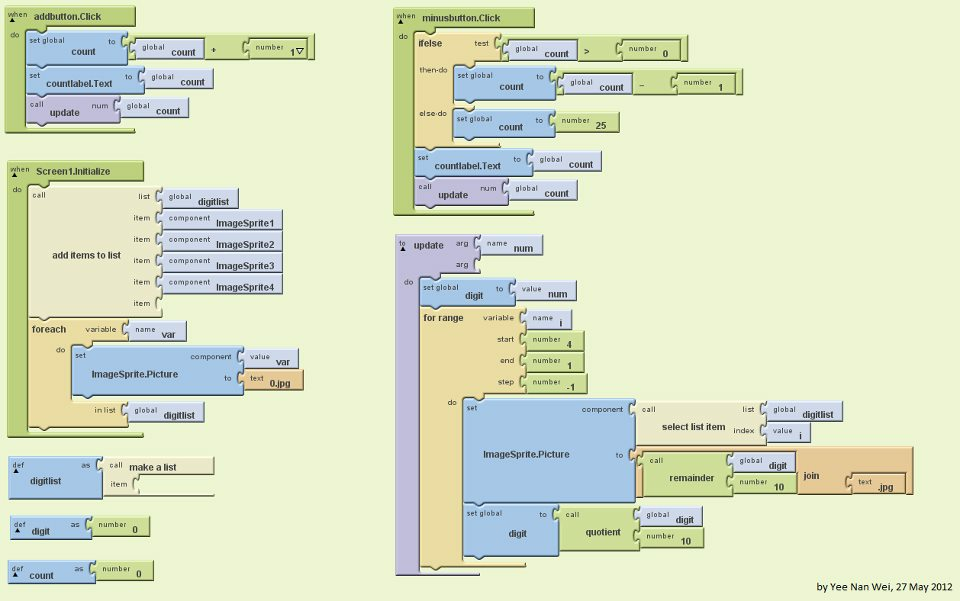
A simple counting program written and designed by Nan Wei (Keat Hwa High School)

Having Fun with Arduino
In order to let the students have a little idea about the world of Computer Engineering, we had Arduino for the students to play. Arduino is a prototyping platform. It comes with an IDE which allows the user to compile their code and then upload it to the Arduino Board. So with the tools, students could easily write their simple C++ program to control the LED on the board. Some of the students learnt quite fast and they were able to do some amazing stuff like playing music and controlling LED brightness with the help of sensors. It’s amazing to see how the students nowadays get so much learning opportunity. When I was a student in SoC, I didn’t even know what Arduino was. Haiz.


Arduino demo proudly brought to you by Nan Wei and Yek Xian (Foon Yew High School)

Arduino Programming Exercises Done by Students
Arduino programming exercises done by the students

Not Just Coding, But Also Thinking
During the 4-day workshops, students also got to learn building a simple E-commerce website. Many of the students didn’t have PHP background. Due to the time constraint, the lecturer didn’t manage to cover everything in details. Luckily there was two lab sessions for the students to ask questions. Interestingly, some of their questions were actually quite good because from their questions, we could tell that the students really think a lot. One of the students even went further to learn JavaScript and came up with a beautiful website.

Cheng En and His PHP Web App (The one with extra features done in JS)
Cheng En (CHKL) and his PHP web app (The one with extra features done in JS)

Fun
Before the end of the workshops, one of the student helpers asked me whether I would join the workshops again as student helper next year. Well… I do hope that I will be invited by the school again. Frankly speaking, event or workshop like this is very tiring, especially for those who have to go back to work on next day of the event. However, it’s still fun to talk to the high school students and share our campus life experience with them. It’s also glad to see that most of them actually liked learning very much (Note: The students actually travelled from different cities across Malaysia just to participate in the workshops. Also that was during their school holiday).

MS Campfire: Talks, Codes and Buffet

Me: “There is an interesting event organized by Microsoft. Could I take one-day leave to join it?”

Boss: “Oh? Why do you need to take leave? You can just join it since it’s a good opportunity to learn exciting stuff, right?”

Thanks to my boss, I was allowed to take part in MS Campfire even though that day is a working day. Thus, I was glad to have my boss to support me in learning more. Of course, I had to write a report regarding what I had learnt from the talks since my boss hoped that other software engineers could benefit from that also.

MS Campfire was a 2-day event where many great speakers from Singapore and oversears were invited to give interesting talks on exciting topics:

  1. Mobile App Design
  2. Gamification
  3. Key HTML5 Must-Know Features
  4. The Importance of Prototype
  5. Windows 8 Development and the Metro Design Language
  6. The Kinect Effect

I enjoyed the presentation given by Rob Miles, lecturer from University of Hull. His presentation was about Kinect and a bit of Microsoft Robotics Developer Studio. His Kinect app demos were all very cute, especially the Bug Splat Game. All his slides and codes used in his talk could be found in his blog: http://www.robmiles.com/journal/2012/4/13/campfire-fun-and-games.html.

WinRT introduced during the Win8 talk was also very interesting. It’s exciting to see now developers can build Metro style app with JavaScript (together with HTML and CSS) also! In the talk, Hammad Rajjoub and Bruce Wang from Microsoft also showed us how to easily add Search Contract and Share Contract easily to the app that we built. So, now by entering keywords in the search box, the users are able to search for the content published by our apps also. It’s quite cute, isn’t it?

Yup, overall, it was a nice learning experience. =)

MS Campfire: Buffet
Oh, nice buffet (this is the only photo found in the Spiffy #MSCampfire album that has me inside). Photo Credits: Spiffy