IBM Connect 2015: SoftLayer and Bluemix

IBM Connect 2015 - SoftLayer - Bluemix

With different challenges emerging every other day, startups nowadays have to innovate and operate rapidly in order to achieve exponential growth in a short period of time. Hence, my friends working in startups always complain about the abuse of 4-letter word “asap”. Every task they receive always come with one requirement: It must be done asap. However, as pointed out in the book Rework by Jason Fried from Basecamp, when everything is expected to be done asap, nothing in fact can be really asap. So, how are startups going to monetize their ideas fast enough?

To answer the question, this year IBM Connect Singapore highlighted two cloud platforms, SoftLayer and Bluemix, which help to assist startups to build and launch their products at speed.

IBM Connect 2015 at Singapore Resorts World Sentosa

SoftLayer, IaaS from IBM

SoftLayer is a very well-known IaaS cloud service provider from IBM. Currently, SoftLayer has data centres across Asia, Australia, Europe, Brazil, and United States. William Lim, APAC Channel Development Manager at SoftLayer, stated during the event that there will be two new data centres are introduced for every two months on average. In addition, each data centre is connected to the Global Private Network which enable startups to deploy and manage their business applications worldwide.

With Global Private Network, SoftLayer users won’t be charged for any bandwidth usage across the network. Yup, free! Bandwidth between servers on the Global Private Network is unmetered and free. So, with this exciting feature, startups are now able to build true disaster recovery solutuion which requires file transfer from one server to another.

William Lim sharing story about Global Private Network.

What excites me during the event is the concept of Bare Metal Server. With Microsoft Azure and Amazon Web Services (AWS), users do not get predictable and consistent performance especially for I/O intensive tasks when their applications are running on virtual-machine based hosting. In order to handle I/O intensive workloads, IBM SoftLayer offers their users a new type of server, Bare Metal Server.

A Bare Metal Server is a physical server which is fully dedicated to one single user. Bare Metal Server can be setup with cutting-edge Intel server-grade processors which can then maximize the server processing power. Hence, for those startups that would like to build Big Data applications, they can make use of Bare Metal Server from SoftLayer to perform data-intensive functions without worrying about latency and overhead delays.

Bluemix, PaaS from IBM

As a user of Microsoft Azure Cloud Service (PaaS), I am very glad to see the Bluemix, PaaS developed by IBM, is also being introduced in the IBM Connect event.
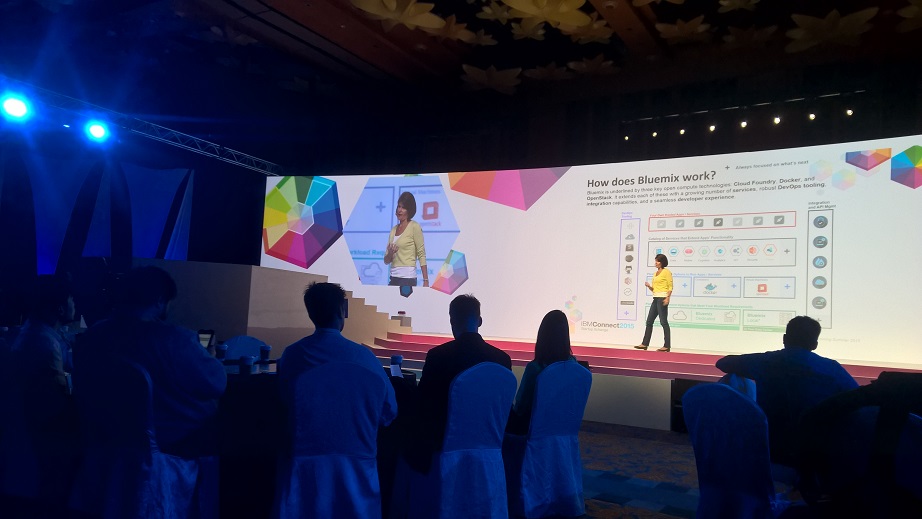
Amelia Johasky, IBM Cloud Leader (ASEAN), sharing how Bluemix works together with three key open compute technologies: Cloud Foundry, Docker, and OpenStack.

One of the reasons why I prefer PaaS over IaaS is because in a startup environment, developers always have too many todos and too little time. Hence, it is not a good idea to add the burden of managing servers to the developers. Instead, developers should just focus on innovation and development. In the world of PaaS, tons of useful libraries are made available and packaged nicely which allows developers to code, test, and deploy easily without worrying too much about the server configuration, database administration, and load balancing. (You can read about my pain of hosting web applications on Azure IaaS virtual machines here.)

After the IBM Connect event, I decide to try out Bluemix to see how it’s different from Azure Cloud Service.

The registration process is pretty straightforward. I started with the Web Application Template. In Bluemix, there are many programming languages supported, including the latest ASP .NET 5, the new open-source and cross-platform framework from Microsoft team!

Many web development platforms are available on Bluemix!

I like how Bluemix is integrated with Git. It allows us to create a hosted Git repository that deploys to Bluemix automatically. The entire Git setup process is also very simple with just one click of the “Git” button. So every time after I push my commits to the repository, my app will be automatically updated on the server as well. Cool!

Bluemix enables us to deploy our web apps with Git.

You can click on the button below to try out my simple YouTube related web app deployed on Bluemix.

Try out my app hosted on Bluemix at http://youtube-replayer.mybluemix.net/.

Bluemix is underlined by three key open compute technologies, i.e. Cloud Foundry, Docker, and OpenStack. What I have played with is just the Cloud Foundry part. In Bluemix, there is also an option to enable developers to deploy virtual machines. However, this option is currently beta and users can only have access to it if they are invited by IBM. Hence, I haven’t tried their VM option.

Finally, Bluemix currently only offers two regions, UK and US South. So for those who would like to have their apps hosted in other parts of the world, it may not be a good time to use Bluemix now.
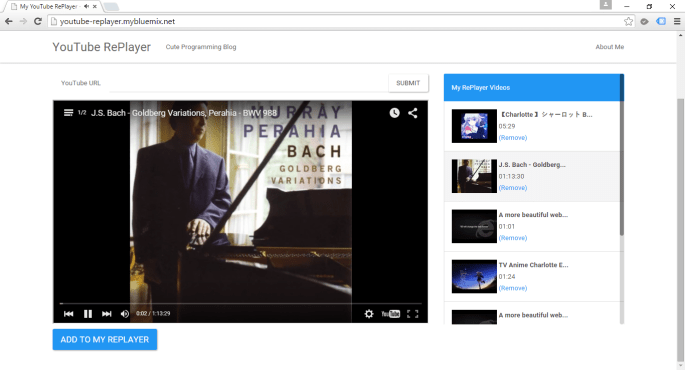
YouTube RePlayer is now hosted on Bluemix.

Here Comes the Win2D

Win2D - VS2015

I am very fortunate to be able to attend the Singapore .NET Developer meetup of this month. The topics of the meetup are MVVM, Windows 10, and Win2D. We are glad to have experienced developer, Riza, to be one of the speakers.

Riza's sharing his thoughts about Win2D.
Riza’s sharing his thoughts about Win2D. (Image Credit: .NET Developer Singapore Community)

Due to time constraint, Riza only managed to show us some basic codes for Win2D, a WinRT API for Immediate Mode 2D Graphic Rendering with GPU Acceleration.

Immediate Mode and Retained Mode are two main categories in Graphics API. What are they? I always use the following explanations to help me differentiate between the two modes.

Retained Mode does not directly cause actual graphic rendering. Example: WPF.

Immediate Mode will directly cause actual graphic rendering. Example: Direct2D and System.Drawing library.

Last year, Microsoft proudly announced the Win2D which developers could use it to bring hardware accelerated Direct2D graphics to Windows 8.1 Universal Apps. This undoubtedly is a great news for game developers who would like to publish their games on Surface and Windows Phone in the future.

Let’s Start Coding!

I thus decided to read through some online tutorials to try out this new cool API. The following are two tutorials that I read.

  1. Introduction to Win2D
  2. Win2D – WinRT API for 2D Graphics

The first app that I developed is an app similar to what is being shown in the first tutorial listed above.

Pavel’s code doesn’t work well when I am using the latest version of Win2D from Nuget (Version 0.0.20). For example, the way he sets the speed of the moving circle is as follows.

circle.Speed = new Vector2(-circle.Speed.X, circle.Speed.Y);

However, this won’t work in my project. So, I changed it to the code below.

circle.Speed = new Vector2() { X = -circle.Speed.X, Y = circle.Speed.Y };

For those who play with XNA Framework often should know Vector2 quite well. Yup, it is a vector with 2 components, X and Y. In Win2D, besides Vector2, there are also Vector3 and Vector4.

Required Nuget Package

Before doing the coding, there is a need to add Win2D to the Windows 8.1 Universal App project first.

The interface of Nuget Package Manager has changed in VS2015! Here, we can find Win2D package.

VS2015 and Azure

As you can see from the screenshot above, it’s actually VS2015 on Microsoft Azure! On Azure, we can easily create a VM with one of the following editions of VS2015 installed: Professional, Enterprise, and Community. Hence, I no longer need to download VS2015 to my own laptop. =)

However, when I first started the VS 2015 on the new VM, I encountered two problems once I tried to compile my Windows 8.1 Universal App.

Firstly, it said developer license couldn’t be approved because of having no Desktop Experience feature enabled.

“We couldn’t get your developer license for Windows Server 2012 R2”

This was easily solved by enabling the Desktop Experience feature. In the beginning, I was having a hard time finding where to enable the Desktop Experience. Thanks to a blog post written by Tamer Sherif Mahmoud, I found the option as shown in the following screenshot.

Desktop Experience option is actually under User Interfaces and Infrastructure.

Secondly, VS2015 complaint that the Windows 8.1 Universal App couldn’t be activated by the Built-in Adminstrator.

“This app can’t be activated by the Built-in Adminstrator”

What I did to fix this problem is only switching on the Admin Approval Mode for the Built-in Administrator account in Local Group Policy Editor, as shown in the screenshot below.

Enable the UAC: Admin Approval Mode for the Built-in Administrator Error - Solution Step 3 - UAC Admin Approval Mode for Built-in Administrator account.
Enable the UAC: Admin Approval Mode for the Built-in Administrator Error – Solution Step 3 – UAC Admin Approval Mode for Built-in Administrator account.

After doing all these, I could finally compile my first Windows 8.1 Universal App in VS2015.

The UI

<Page
 x:Class="MyUniversal.MainPage"
 xmlns="http://schemas.microsoft.com/winfx/2006/xaml/presentation"
 xmlns:x="http://schemas.microsoft.com/winfx/2006/xaml"
 xmlns:local="using:MyUniversal"
 xmlns:d="http://schemas.microsoft.com/expression/blend/2008"
 xmlns:mc="http://schemas.openxmlformats.org/markup-compatibility/2006"
 xmlns:win2d="using:Microsoft.Graphics.Canvas.UI.Xaml" 
 mc:Ignorable="d">
    <Grid x:Name="_mainGrid" Background="{ThemeResource ApplicationPageBackgroundThemeBrush}">
        <win2d:CanvasControl ClearColor="Black" Grid.Row="1" Draw="OnDraw" x:Name="_canvas" Tapped="OnTapped" />
    </Grid>
</Page>

In order to use CanvasControl, I need to include Microsoft.Graphics.Canvas.UI.Xaml, as highlighted in green in the code above.

The Logic

The following is my Main method.

public MainPage()
{
    this.InitializeComponent();
    _width = (float)Window.Current.Bounds.Width;
    _height = (float)Window.Current.Bounds.Height;
    _timer.Tick += (s, e) => {
        Dictionary<CircleData, int> reference = _circles.ToDictionary(x => x.Key, x => x.Value);

        foreach (var circleKeyPair in reference)
        {
            var circle = circleKeyPair.Key;

            int circleRadiusChangingSpeed = circleKeyPair.Value;

            float posX = circle.Speed.X + circle.Center.X; 
            float posY = circle.Speed.Y + circle.Center.Y;
            circle.Radius += circleRadiusChangingSpeed;

            if (circle.Radius > _height / 4 || circle.Radius <= 0)
            {
                _circles[circle] = -1 * circleKeyPair.Value;
            }

            var radius = circle.Radius;
            if (posX + radius > _width || posX - radius < 0) 
            {
                circle.Speed = new Vector2() { X = -circle.Speed.X, Y = circle.Speed.Y };
            } 
            else if (posY + radius > _height || posY - radius < 0) 
            {
                circle.Speed = new Vector2 { X = circle.Speed.X, Y = -circle.Speed.Y };
            }
            circle.Center = new Vector2 { X = circle.Speed.X + circle.Center.X, Y = circle.Speed.Y + circle.Center.Y };
        }
        
        _canvas.Invalidate();
    };
    
    _timer.Start();
}

In the code, I first define the area to have the circles by declaring two variables _width and _height to be the width and height of the current window. I can’t use the width and height (or even actualWidth and actualHeight) of the grid because they are always 0.

Then same as Pavel, I also move the circles around by having the following code.

circle.Center = new Vector2 { X = circle.Speed.X + circle.Center.X, Y = circle.Speed.Y + circle.Center.Y };

Here, I can’t set X = posX and Y = posY because the circle.Speed here, which is used to define the moving speed and direction, can be already different as the circle.Speed when posX and posY were calculated.

In addition, I also add in the code to change the size of the circle every time it moves. The circle will grow until a certain size and then its radius will be decreased to 0. Once the radius is 0, it will start to increase again.

if (circle.Radius > _height / 4 || circle.Radius <= 0)
{
    _circles[circle] = -1 * circleKeyPair.Value;
}

For those who are wondering what the following line of code does, it is basically just a way to make the canvas control to redraw.

_canvas.Invalidate();

For the OnTapped and OnDraw, I am using the same codes as Pavel’s.

The following screenshot shows the colourful circles created by clicking on the app a few times.

Colourful circles created with DrawCircle.

That is done using DrawCircle. So, let’s see what will happen if I change to use FillCircle with an image, as taught in the second tutorial mentioned above.

session.FillCircle(circle.Center, circle.Radius, circle.CircleInnerImageBrush);

The CircleInnerImageBrush is created in the following way.

CanvasBitmap image = await CanvasBitmap.LoadAsync(_canvas.Device,
    new Uri("<URL to the image here>"));
CanvasImageBrush imageBrush = new CanvasImageBrush(_canvas.Device, image)
{
     ExtendX = CanvasEdgeBehavior.Clamp,
     ExtendY = CanvasEdgeBehavior.Wrap,
     SourceRectangle = new Rect(0, 0, image.Bounds.Width, image.Bounds.Height)
};

Then I am able to get the following cool effects!

FillCircle + Image
FillCircle + Image

Win2D is Open Source

That’s what I have learnt so far after listening to Riza’s 10-minute sharing on Win2D. I will probably try out the API more in the near future because Win2D looks very promising!

In case, you wonder how much I spent on running VS2015 on Azure, running an A4 (8 cores, 14GB memory) instance for about one week costed me about USD 90.

Oh ya, Win2D is open source! For those who are interested to find out more, please take a look at their GitHub site.

Machine Learning in Microsoft Azure

Let me begin with a video showing how Machine Learning helps to improve our life.

https://www.youtube.com/watch?t=42&v=SGXTWLQ76jI

The lift is called ThyssenKrupp Elevator, an example of Predictive Maintenance. For more information about it, please read an article about how the system works and the challenges of implementing it on different types of lift.

I first learnt about the term “Machine Learning” when I was taking the online Stanford AI course in 2011. The course basically taught us about the basics of Artificial Intelligence. So, I got the opportunity to learn about Game Theory, object recognition, robotic car, path planning, machine learning, etc.

We learnt stuff like Machine Leaning, Path Planning, AI in the online Stanford AI course.

Meetup in Microsoft

I was very excited to see the announcement from Azure Community Singapore saying that there would be a Big Data expert to talk about Azure Machine Learning in the community monthly meetup.

Doli was telling us story about Azure Machine Learning.
Doli was telling us story about Azure Machine Learning. (Photo Credit: Azure Community Singapore)

The speaker is Doli, Big Data engineer working in Malaysia iProperty Group. He gave us a good introduction to Azure Machine Learning, and then followed by Market Basket Analysis, Regression, and a recommendation system works on Azure Machine Learning.

I found the talk to be interesting, especially for those who want to know more about Big Data and Machine Learning but still new to them. I will try my best to share with you here what I have learned from Doli’s 2-hour presentation.

Ano… What is Machine Learning?

Could we make the computer to learn and behave more intelligently based on the data? For example, is it possible that from both the flight and weather data, we can know which scheduled flights are going to be delayed? Machine Learning makes it possible. Machine Learning takes historical data and make prediction about future trend.

This Sounds Similar to Data Mining

During the meetup, there was a question raised. What is the difference between Data Mining and Machine Learning?

Data Mining is normally carried out by a person to discover the pattern from a massive, complicated dataset. However, Machine Learning can be done without human guidance to predict based on previous patterns and data.

There is a very insightful discussion on Cross Validated that I recommend for those who want to understand more about Data Mining and Machine Learning.

Supervised vs. Unsupervised Learning

Two types of Machine Learning tasks are highlighted in Doli’s talk. Supervised and unsupervised learning.

Machine Learning - Supervised vs Unsupervised Learning
Machine Learning – Supervised vs Unsupervised Learning

In supervised learning, new data is classified based on the training data which are accompanied with labels to help the system to learn by example. The web app how-old.net which went viral recently is using supervised learning. There is an interesting discussion on Quora about how how-old.net works. In the discussion, the Microsoft Bing Senior Program Manager, Eason Wang, also shared his blog post about this how-old.net project that he works on.

Gmail is also using supervised learning to find out which emails are spam or need to be prioritized. In the slides of Introduction to Apache Mahout, it uses YouTube Recommendation an example of supervised learning. This is because the recommendation given by YouTube has taken videos explicitly liked, added to favourites, rated by the user.

I love watching anime so YouTube recommended me some great anime videos. =P

Unlike supervised learning, unsupervised learning is trying to find structure in unlabeled data. Clustering, as one of the unsupervised learning techniques, is grouping data into small groups based on similarity such that data in the same group are as similar as possible and data in different groups are as different as possible. An example for unsupervised learning is called the k-means Clustering.

Clearly, the prediction of Machine Learning is not about perfect accuracy.

Azure Machine Learning: Experiment!

With Azure Machine Learning, we are now able to perform cloud-based predictive analysis.

Azure Machine Learning is a service that developer can use to build predictive analytic models with training datasets. Those models then can be deployed for consumption as web service in C#, Python, and R. Hence, the process can be summarized as follows.

  1. Data Collection: Understanding the problem and collecting data
  2. Train: Training the model
  3. Analyze: Validating and tuning the data
  4. Deploy: Exposing the model to be consumed

Data Collection

Collecting data is part of the Experiment stage in Machine Learning. In case some of you wonder where to get large datasets, Doli shared with us a link to a discussion on Quora about where to find those public accessible large datasets.

In fact, there are quite a number of sample datasets available in Azure Machine Learning Studio too. During the presentation, Doli also showed us how to use Reader to connect to a MS SQL server to get data.

Get data either from sample dataset or from reader (database, Azure Blob Storage, data feed reader, etc.)
Get data either from sample dataset or from reader (database, Azure Blob Storage, data feed reader, etc.).

To see the data of the dataset, we can click on the output port at the bottom of the box and then select “Visualize”.

Visualize the dataset.

After getting the data, we need to do pre-processing, i.e. cleaning up the data. For example, we need to remove rows which have missing data.

In addition, we will choose relevant columns from the dataset (aka features in machine learning) which will help in the prediction. Choosing columns requires a few rounds of experiments before finding a good set of features to use for a predictive model.

Let's clean up the data and select only what we need.
Let’s clean up the data and select only what we need.

Train and Analyze

As mentioned earlier, Machine Learning learns from a dataset and apply it to new data. Hence, in order to evaluate an algorithm in Machine Learning, the data collected will be split into two sets, the Training Set for Machine Learning to train the algorithm and Testing Set for prediction.

Doli said that the more data we use to train the model the better. However, they are many people having different opinions. For example, there is one online discussion about the optimal ratio between the Training Set and Testing Set. Some said 3:2, some said 1:1, and some said 3:1. I don’t know much about Statistical Analysis, so I will just make it 1:1, as shown in the tutorial in Machine Learning Studio.

Randomly split the dataset into two halves: a training set and a testing set.

So, what “algorithm” are we talking about here? In Machine Learning Studio, there are many learning algorithms to choose from. I won’t go into details about which algo to choose here. =)

Choose learning algorithm and specify the prediction target.

Finally, we just hit the “Run” button located at the command bar to train the model and make a prediction on the test dataset.

After the run is successfully completed, we can view the prediction results.

Visualize results.
Visualize results.

Deploy

From here, we can improve the model by changing the features, properties of algorithm, or even algorithm itself.

When we are satisfied with the model, we can publish it as a web service so that we can directly use it for new data in the future. Alternatively, you can also download an Excel workbook from the Machine Learning Studio which has macro added to compute the predicted values.

Read More and Join Our Meetup!

If you would like to find out more about Azure Machine Learning, there is a detailed step-by-step guide available on Microsoft Azure documentation about how to create an experiment in Machine Learning Studio. There is also a free e-book from Microsoft about Azure Machine Learning. Please take a look!

Oh ya, in case you would like to know more about how-old.net which is using Machine Learning, please visit the homepage of Microsoft Project Oxford to find out more about the Face APIs, Speech APIs, Computer Vision APIs, and other cools APIs that you can use.

Please correct me if you spot any mistake in my post because I am still very, very new to Machine Learning. Please join our meetup too, if you would like to know more about Azure.

Travelling with Easybook.com: Four Young Developers in 2D2N Malaysia Trip

I’m working in Easybook.com, a rapidly growing MNC with headquarter in Singapore. Easybook is currently a tour agency with the largest online coach ticketing website in Malaysia and Singapore.

This year, we successfully recruited many young software engineers from different countries. Most of them had never been to many interesting places in Malaysia. Hence, in order to help the newcomers in my team to understand more about local express bus industry and places in Malaysia, I suggested to have a short trip to Kuala Lumpur, the capital of Malaysia.

Planning the trip to Kuala Lumpur.

Purchase the Coach Tickets

After we had decided to visit Kuala Lumpur, we went to our website to book 2-way coach tickets to and from Singapore and Kuala Lumpur.

Easybook.com is a very convenient one-stop booking for travelers to plan an entire trip from beginning to end in Malaysia. By simply keying the origin and destination as well as the travel dates, we could find out the coach services suitable to us.

Search coach trips in Easybook is very simple.

After that, we proceed to book hotel rooms. Easybook.com is an affiliate agent of Agoda. Hence, we can search for the hotel rooms in Easybook.com too!

Easy Payment

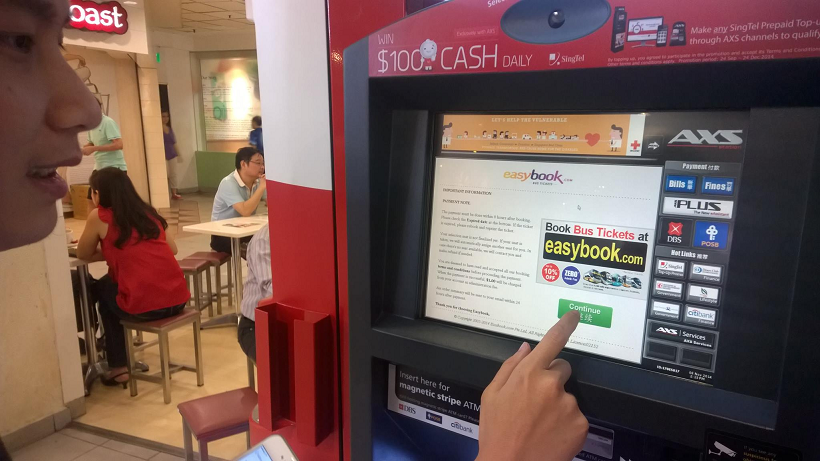
Easybook.com provides many ways for customers to make payment. AXS Station is one of them. By scanning the barcode of the coach receipts that we got from coach booking steps, we could easily make payment in any of the AXS Station located in Singapore.

Easybook customers can now make payment in AXS Station in Singapore.
Easybook customers can now make payment in Singapore AXS Station.

The Midnight Journey from Singapore to Kuala Lumpur

We checked-in at the coach counter located at Boon Lay after work. We presented our order summary printed from Easybook.com website to the counter staff. The counter is installed with Easybook system as well. Hence, the staff is able to easily validate our tickets and inform us the correct coach plate number with the help of Easybook waybill. Soon, the staff brought us to board the coach waiting outside the counter.

Coach counter staff is using Easybook system to validate our tickets.
The express coach is here!

After the journey of 5.5 hours from Boon Lay, we reached the first drop-off point in Kuala Lumpur, Terminal Bersepadu Selatan (TBS). It was around 4am. So, the entire terminal was very quiet. After that, the coach continued its journey to its last stop in Kuala Lumpur, Berjaya Times Square.

The quiet TBS at 4am.

We reached Berjaya Times Square 30 minutes later. Most of the shops, except 7-Eleven, were not yet open. The street was very quiet with only few of us walking and chatting.

Visit to Kuala Lumpur City Centre

It’s very easy to travel in Kuala Lumpur city area. You can choose to travel by bus, taxi, LRT, train. Or, if you are as young as us, then you can walk from one attraction to another!

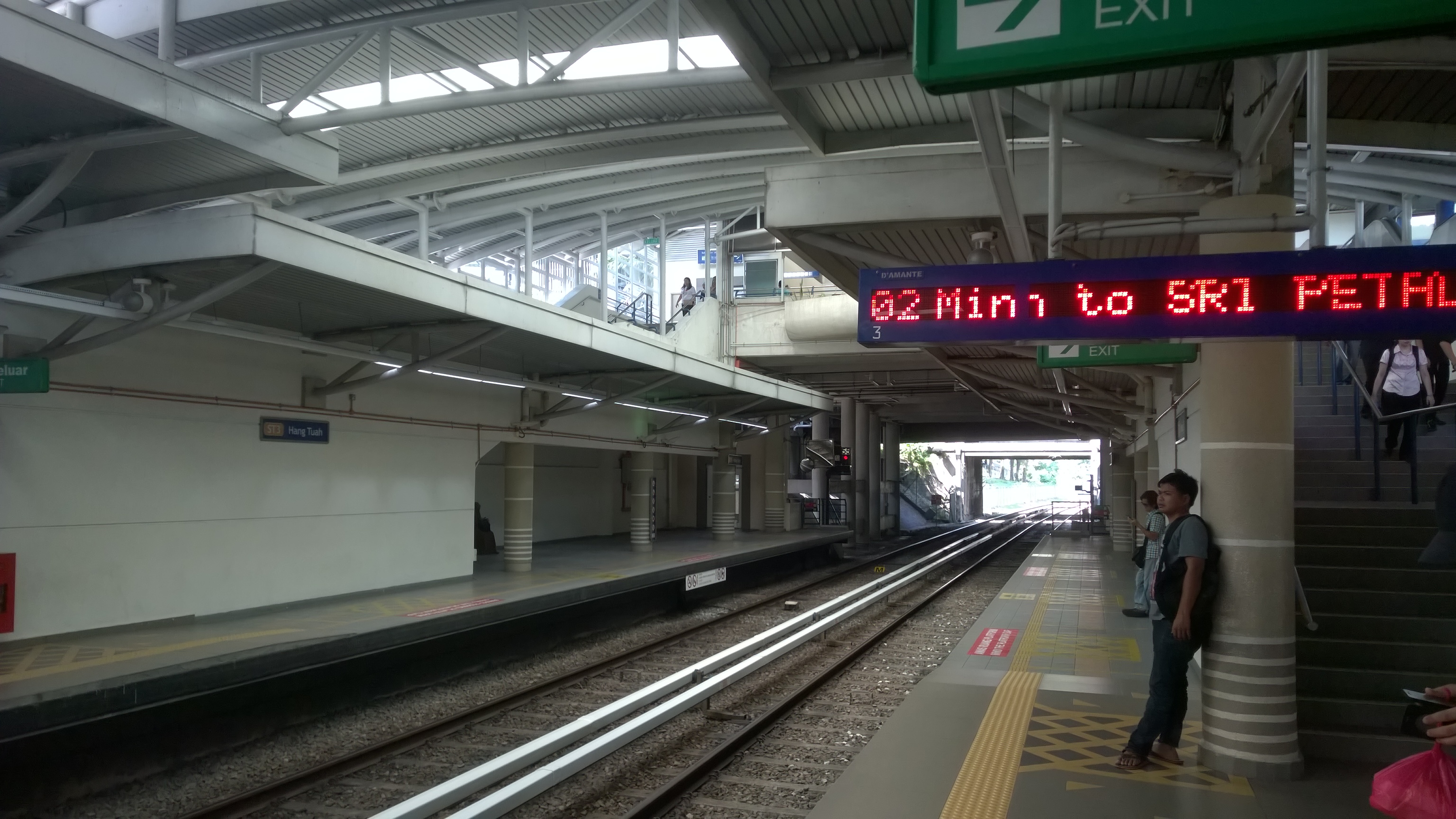
Waiting for RapidKL LRT.

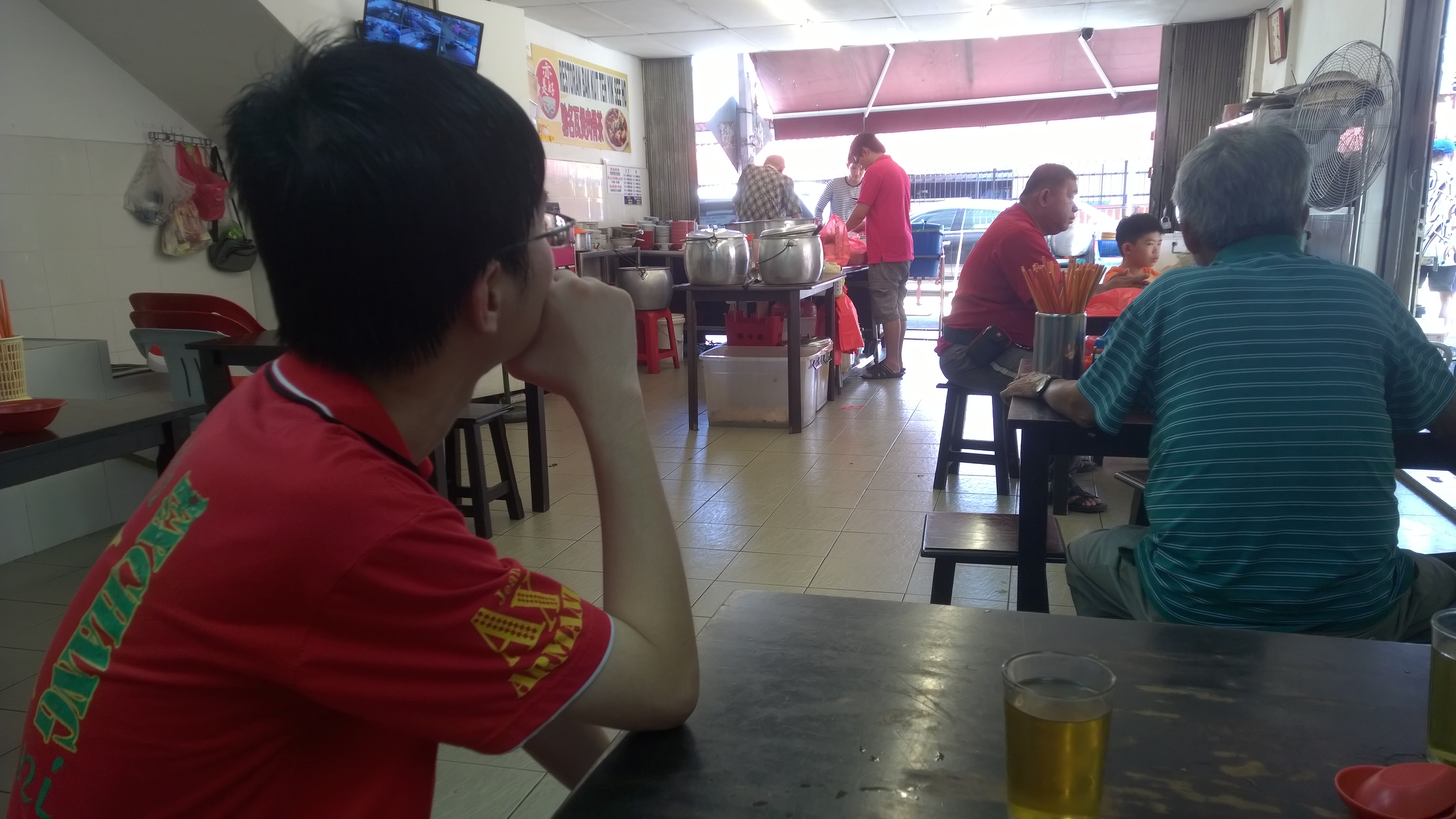
We decided to have the famous Bak Kut Teh as our lunch. We took LRT because the restaurant selling Bak Kut Teh was quite far from our hotel. The Bak Kut Teh in Kuala Lumpur has totally different taste from the one we always find in Singapore. The soup is herbal soup, instead of peppery soup.

Waiting Bak Kut Teh to be served.

After lunch, we visited many attractions in the city, such as Petronas Twin Tower, KLCC, Dataran Merdeka, Kuala Lumpur City Gallery, and Petaling Street.

Masjid Jamek, one of the oldest mosques in Kuala Lumpur.
Christmas decoration in KLCC.
Lok Lok, one of Malaysia local delights is available near our hotel.
Lok Lok, one of Malaysia local delights, is available near our hotel.

Our Product Is Everywhere

Even the tissue paper we use is from Easybook!
Even the tissue paper we use is from Easybook.com!

Our returning trip was on Sunday afternoon from TBS to Singapore.

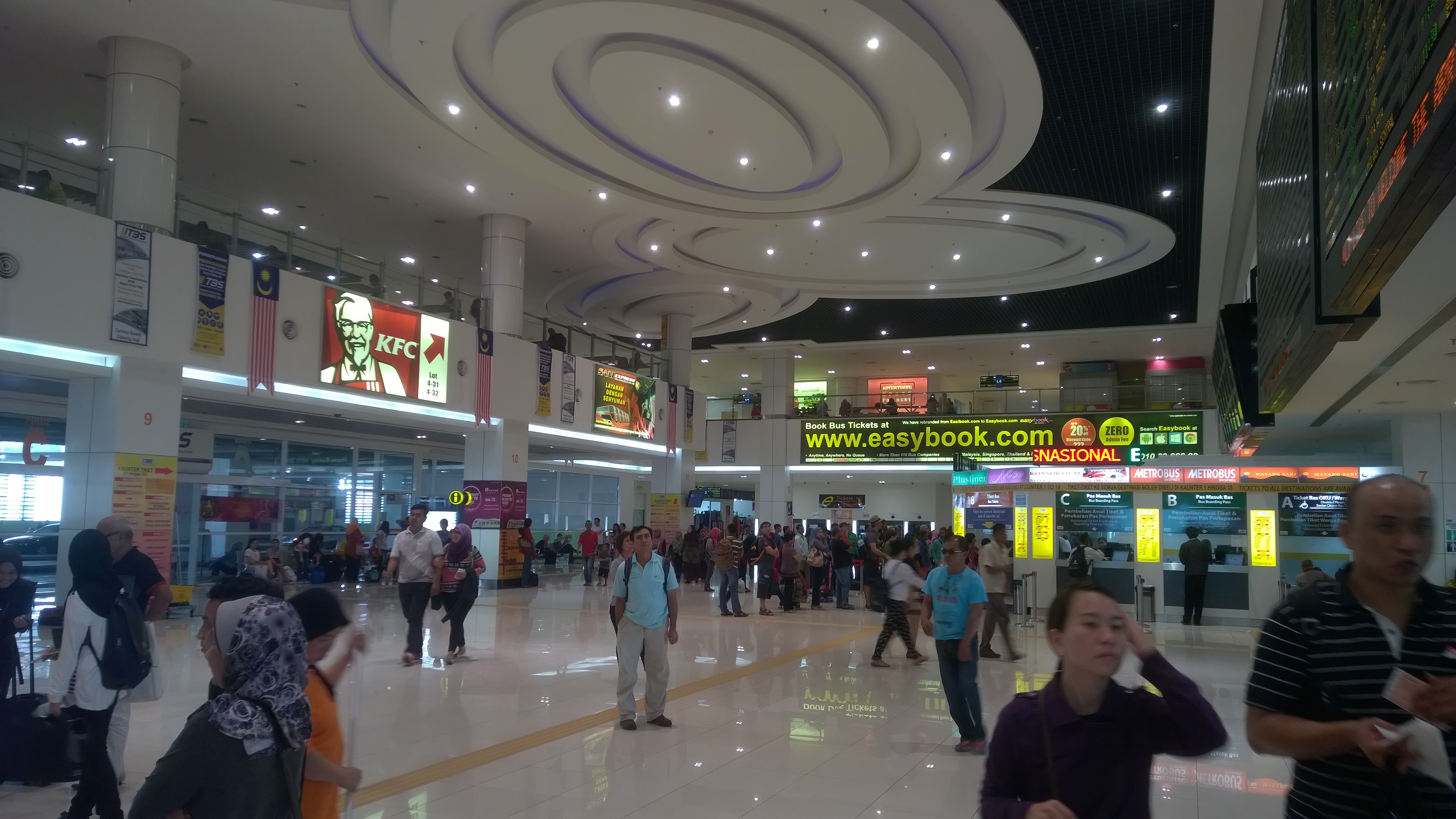
When we just walked in the the TBS lobby, what we could see was a big advertisement of Easybook.com.

In 2014, we successfully integrated with TBS system. Hence, now our customers can actually easily check-in and collect ticket at TBS.

When I was walking outside the terminal, I saw the KTM Berhad train station, Badar Tasik Selatan, located just beside TBS. That reminded me the KTM Berhad train booking which was just implemented on our platform last month. Hence, our customers can easily book the train tickets on Easybook.com and then earn some loyalty points.

After we check-in at the coach counter in TBS at 12:30pm, we boarded the coach at 1:30pm to go back to Singapore.

Easybook.com advertisement is very obvious in TBS.
Check-in at coach counter in TBS with Easybook.com order summary.
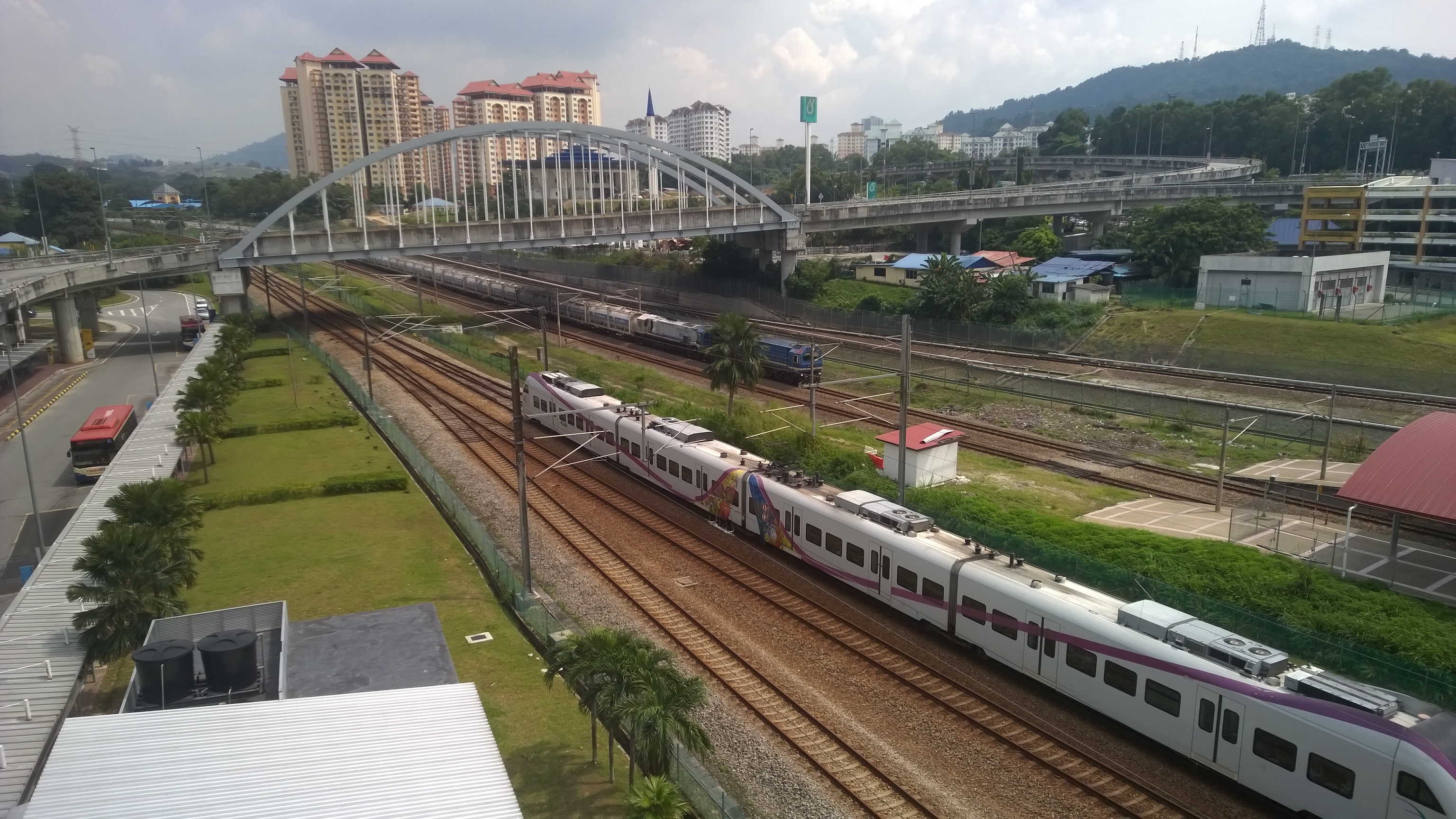
Train services, such as KTM Berhad, is available in TBS as well.
Train services, such as KTM Berhad (train ticket provider on Easybook.com platform), are available in TBS as well.

Easybook.com

I think technology has the capability to make our life better. That’s why I like building software applications. Thus, it’s very important for developers to experience the changes their software brings to the society themselves.

In this trip, we have witnessed how our system improves the workflow of bus operators, how our application helps travelers to plan their journey easily, and also how our website introduces attractions in both countries to the world. I am amazed by what we have achieved so far.

With just IT system and tour, it is already almost endless what we can do. So, what is our next goal? =)