
Due to the COVID-19, we have to work from home.
Today, when I was accessing corporate resources remotely from my personal laptop at home via Pulse Secure, I accidentally disconnected myself from the Internet. After that, I could no longer access the Internet with a message saying, “No Internet, secured”, as demonstrated in the screenshot below.
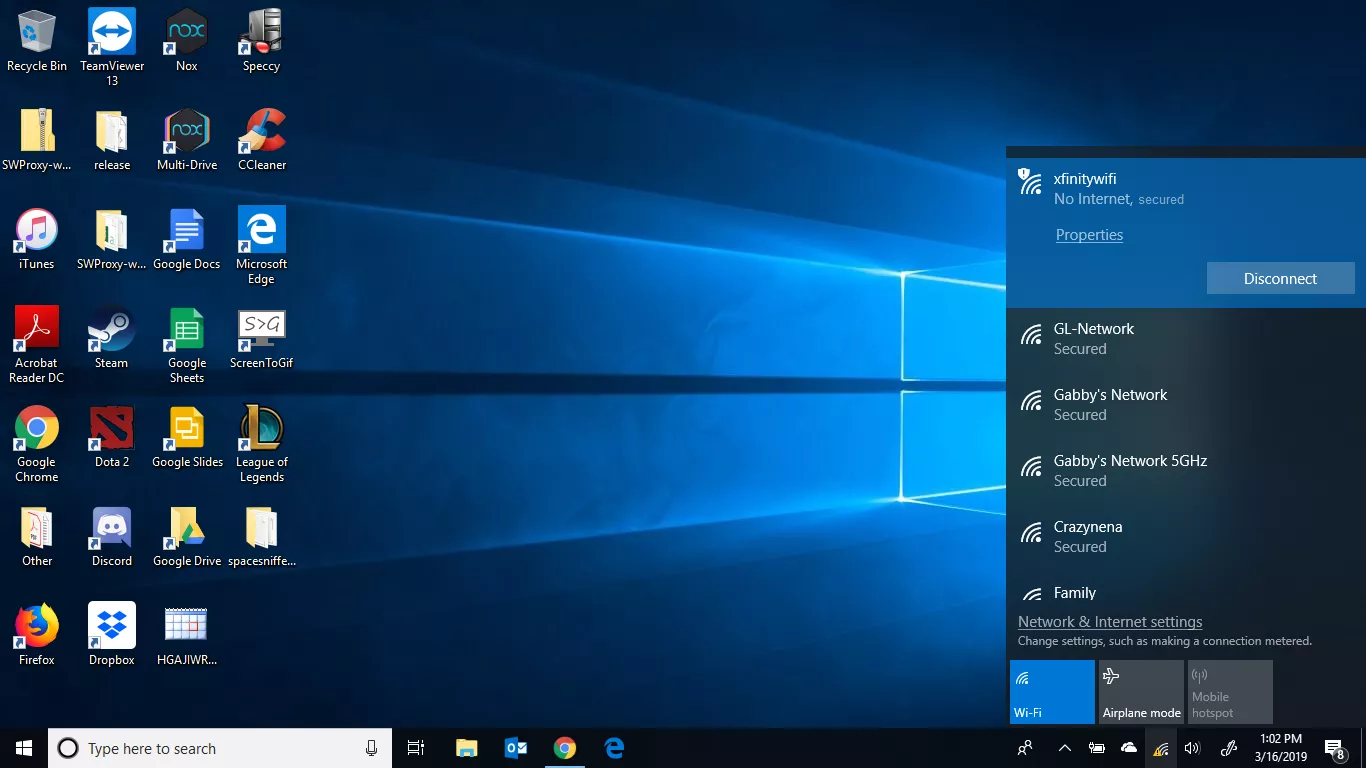
After restarting my laptop, the problem is still there. Hence, there is a chance that Wi-Fi adapter does detect available network, but it does not accept TCP/IP address.
Reset Winsock and TCP/IP Settings
One of the solutions proposed is to reset the Winsock protocol as well as the existing TCP/IP settings for all of the LAN connections to the default settings with the following two commands.
> netsh winsock reset catalog

> netsh int ipv4 reset reset.log
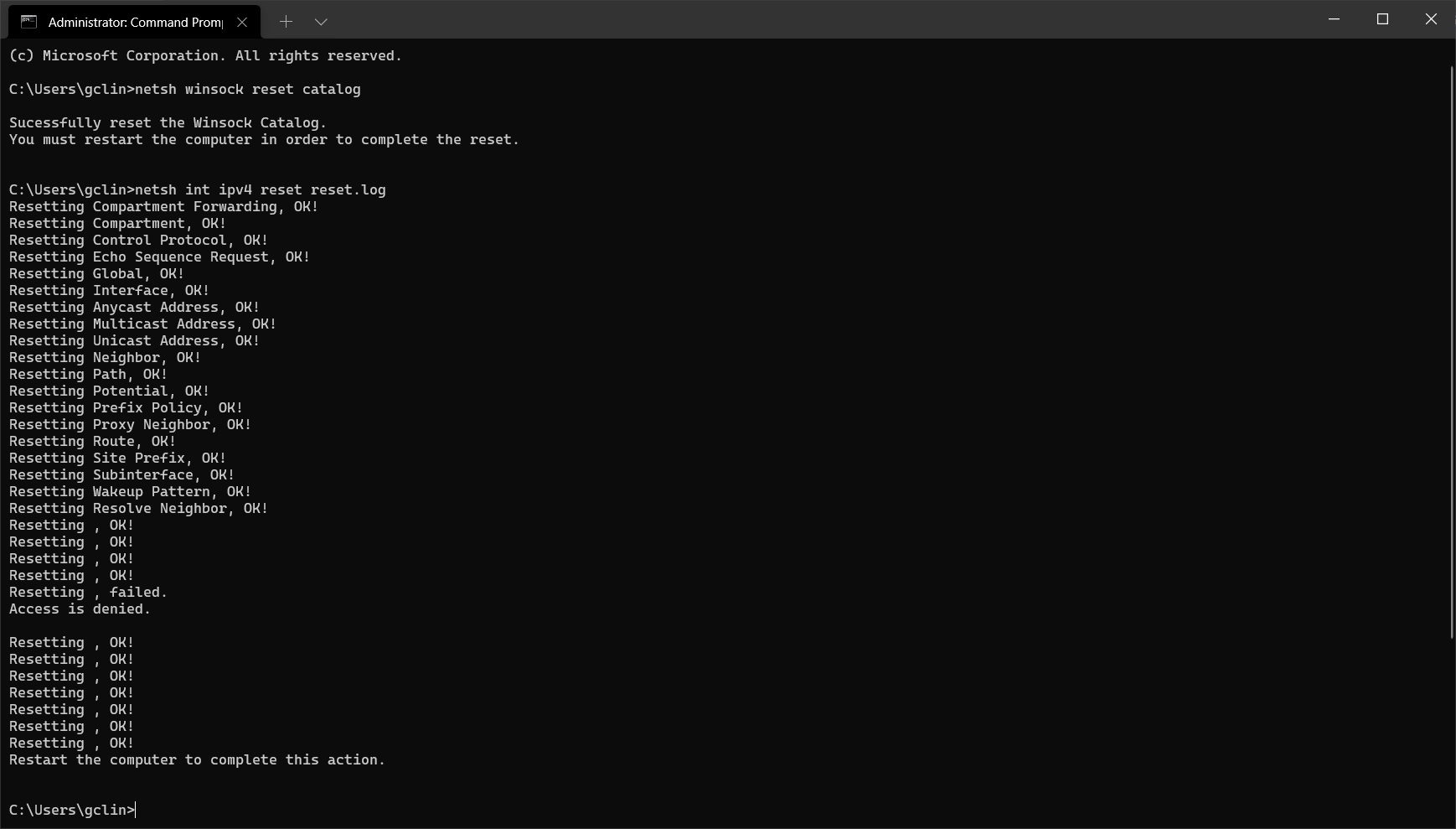
Next, we can proceed to restart our laptop.
Use Google Public DNS
After restarting my laptop, I realised that the message “No Internet, secured” is gone but I still couldn’t surf the Internet. Hence, I decide to configure my network settings to use Google Public DNS, as shown in the screenshot below.
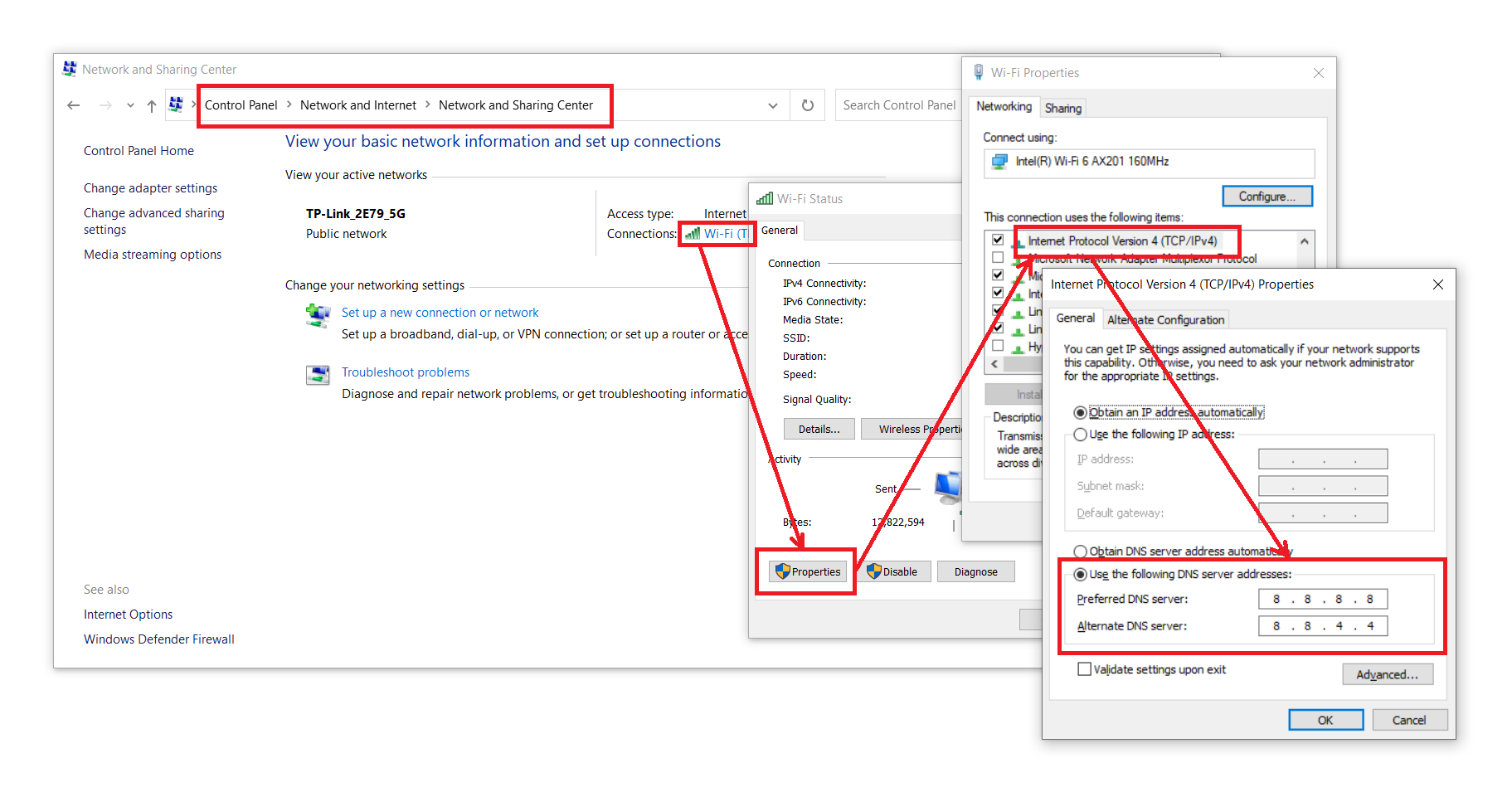
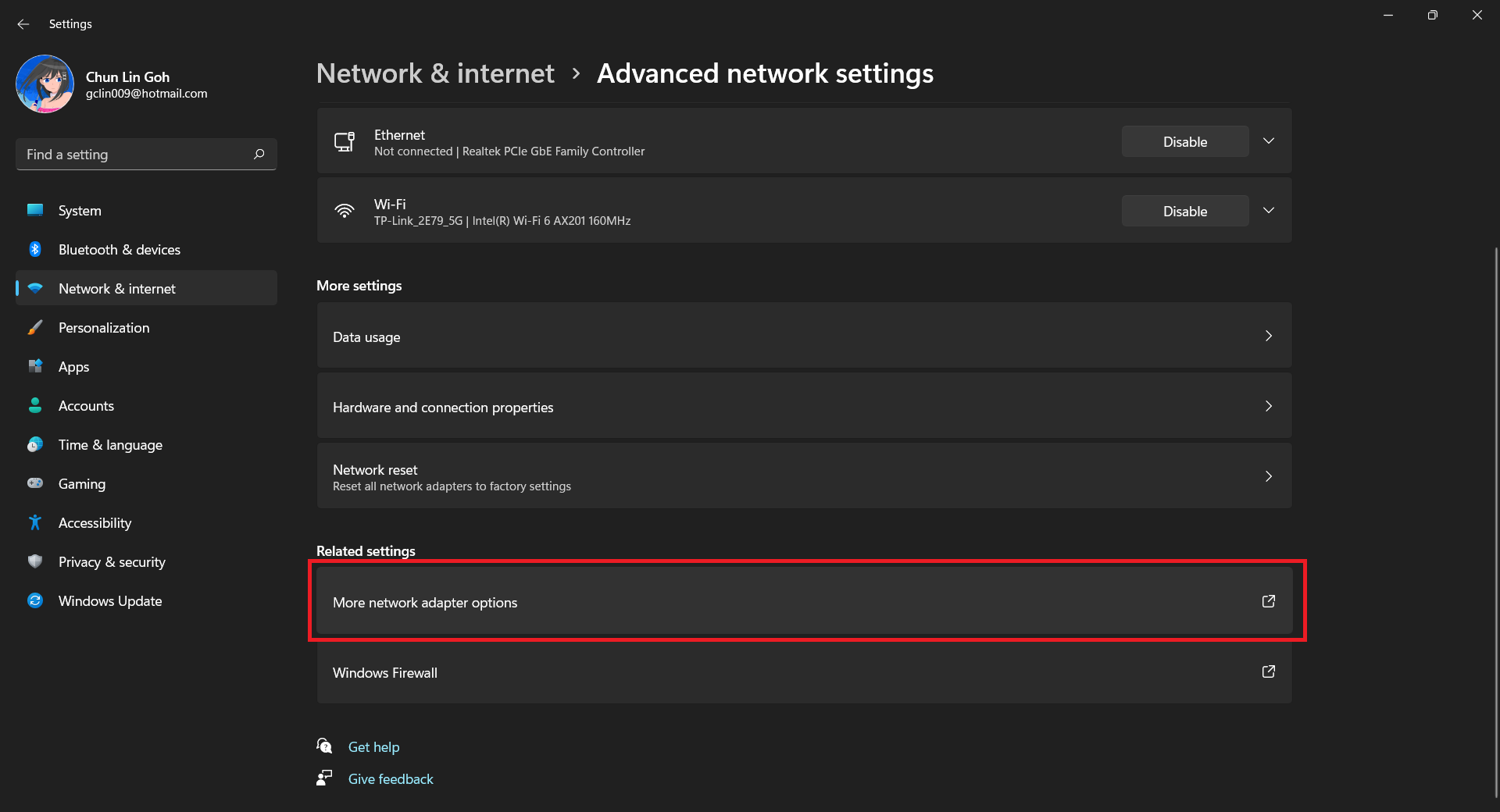
For Windows 11 which has a new UI design, we first need to visit the “Advance network settings” section under the “Network & internet”, as shown below.

After that, we choose “More network adapter options”, as shown in the following screenshot.
We then can proceed to use Google Public DNS, as shown below.
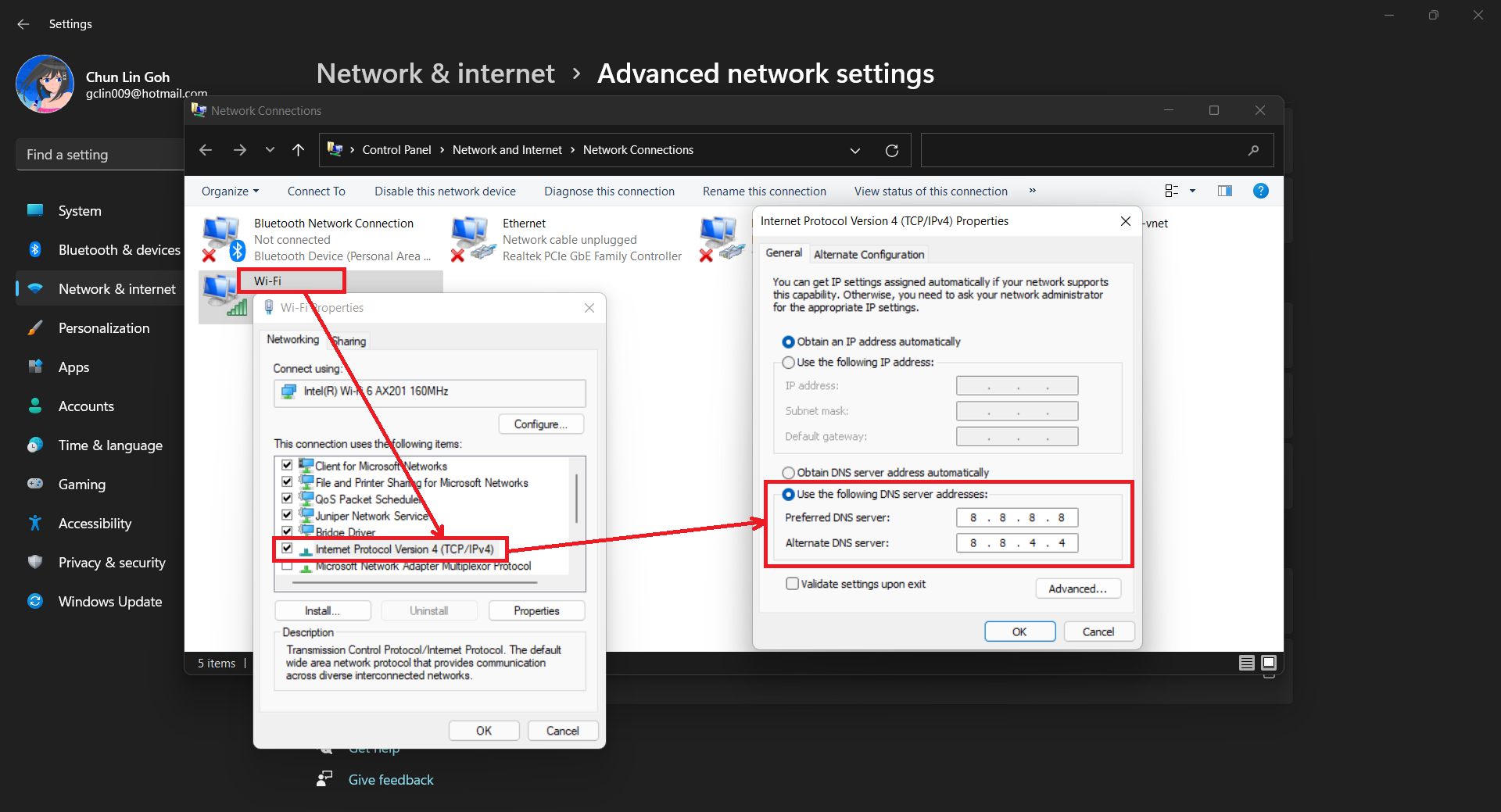
Once this is done, I can surf the Internet again. Yay!
References
- [YouTube] How to Fix Internet Connected but No Internet Access;
- Windows 10 TCP/IP Reset;
- How to Fix a ‘No Internet, Secured’ Connection Error.
KOSD, or Kopi-O Siew Dai, is a type of Singapore coffee that I enjoy. It is basically a cup of coffee with a little bit of sugar. This series is meant to blog about technical knowledge that I gained while having a small cup of Kopi-O Siew Dai.
 cuteprogramming