
In order to proactively avoid problems in our Microsoft Azure Virtual Machines, it’s necessary to have the system admin to receive alerts for unpatched, misconfigured, or unsupported configurations. System Center Advisor from Microsoft can do this. System Center Advisor is a free web service which monitors and analyses installation of Microsoft Server 2008 (and later versions).
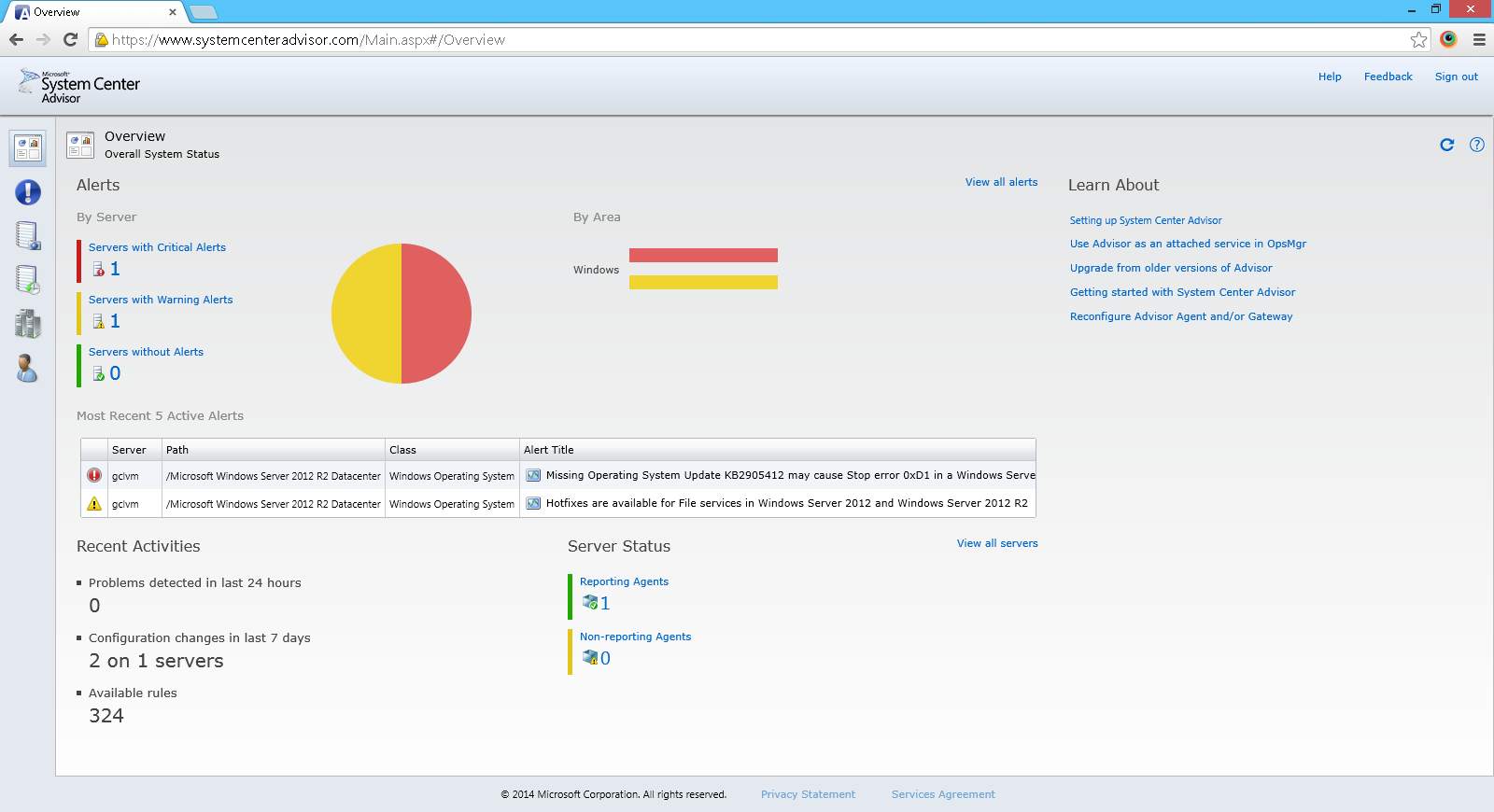
Activate and Deploy System Center Advisor
Before we can configure System Center Advisor, we need to enable the service on the Advisor website. To do that, we just login to the website with the same Microsoft account to activate it. After that, we need to deploy a software, which is part of Advisor, on our server on Azure. The software needs to be installed locally in the virtual machine.

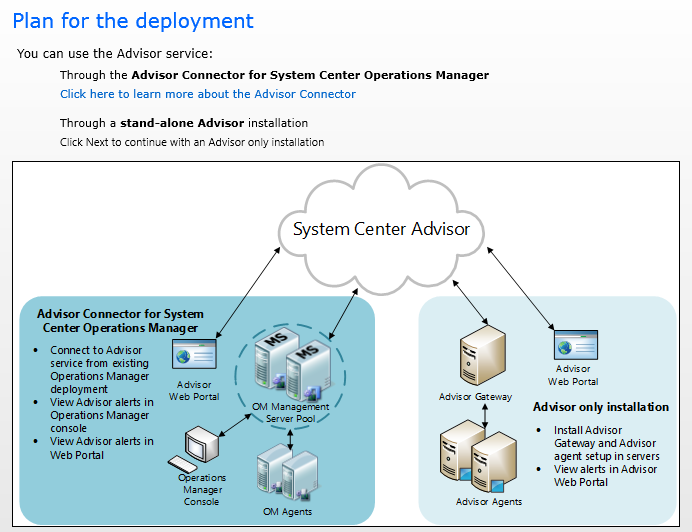
To deploy Advisor on the server, we need to install gateways and agents on our selected servers. Due to the fact that we are going to only install a stand-alone Advisor to give the system admin a way to access the alerts in Advisor web portal, we just need to install gateways and agents on selected servers.
The agent is responsible for collecting data about the server and storing it locally on the server. For every 24 hours, the agent will then pass the information to the gateway which is in charge of sending the information to the Advisor account.
After the Advisor configuration is completed, within the next 24 hours, we should already be able to see the data being shown in the Advisor web portal.
Conclusion
The entire installation process is very simple. There are also a few related online articles that I found, as listed below.
- Overview of System Center Advisor;
- Advisor and SQL Server 2012 under Planning Considerations for System Advisor.
 cuteprogramming